
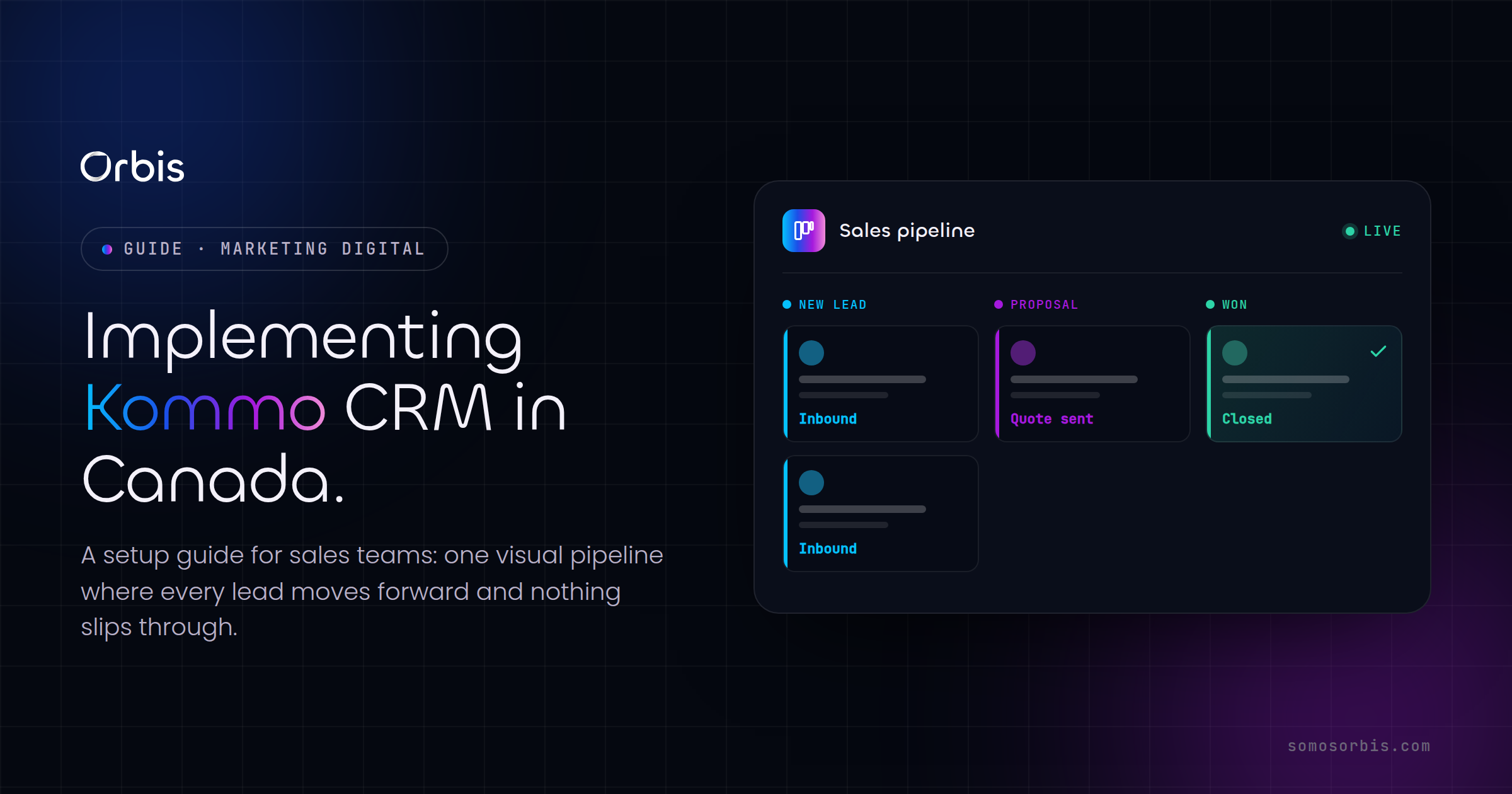
For Canadian sales teams juggling leads across email, WhatsApp, Instagram DMs and a tangle of spreadsheets, Kommo offers something rare: a CRM built around messaging first and pipelines second. If your reps are losing deals because a follow-up slipped through the cracks, or because nobody could tell where a prospect actually was in the buying journey, a well-configured Kommo instance can pull all of that into one screen. This guide walks Canadian teams through a practical setup — from pipeline design to bilingual messaging, automation and compliance — so your implementation holds up in the real world, not just in the demo.
Kommo (formerly amoCRM) is a messenger-based CRM that consolidates conversations, lead data and sales automation. It's a strong fit for businesses that sell through chat and social as much as through phone and email — which describes a growing share of Canadian SMBs in retail, professional services, real estate and trades. Before you start dragging cards around a pipeline, though, it pays to plan the build. If you're still deciding whether Kommo is the right tool for your team, our CRM selection guide for Canadian businesses is the right place to start; this article assumes you've already chosen Kommo and want to deploy it well.
Why Canadian sales teams choose Kommo
Canadian buyers expect to reach a business the same way they reach a friend — over the channel that's already open on their phone. That means a sales rep in Mississauga might field a Facebook Messenger enquiry in the morning, a WhatsApp question at lunch, and an email by end of day, all from the same prospect. Kommo's core advantage is that it threads those conversations into a single lead record, so context never gets lost when the channel changes.
A few reasons the platform resonates with teams across Toronto, Vancouver, Montreal and Calgary:
- Unified inbox. WhatsApp, Instagram, Facebook Messenger, Telegram, email and live chat land in one place, tied to the contact and the deal.
- Visual, drag-and-drop pipelines. Reps and managers see exactly where every deal sits, which makes forecasting and coaching far easier.
- Built-in automation (Salesbot and triggers). Routine follow-ups, task creation and stage changes can run on their own.
- Bilingual-friendly. The interface and templates support English and French, which matters for teams serving Quebec and federally regulated bilingual markets.
- Affordable for SMBs. Per-user pricing in USD that stays reasonable as a small team scales.
Kommo isn't the only option, of course. If your team needs heavier project management, internal collaboration or a built-in telephony stack alongside CRM, you may want to weigh it against a platform like Bitrix24 — we cover that path in our Bitrix24 implementation guide for Canada. For messaging-led sales, though, Kommo is usually the lighter, faster build.
Before you start: planning your Kommo build
The teams that get the most from Kommo treat the rollout as a project, not a switch you flip. Spend a few hours up front mapping the following, and the configuration work goes far more smoothly.
Map your real sales process
Open a whiteboard (or a shared doc) and write down how a deal actually moves through your business today — not how you wish it moved. For most Canadian SMBs this looks like: new enquiry, qualified, quote sent, negotiation, won or lost. Each of those becomes a pipeline stage. Resist the urge to create fifteen stages; five to seven is the sweet spot. Too many stages and reps stop updating the CRM, which quietly kills your data quality.
Decide what data you actually need
Every custom field you add is a field someone has to fill in. Be ruthless. For a typical B2B team in Canada you'll want fields like company name, province, preferred language (EN/FR), lead source, and estimated deal value in CAD. Capturing province early is more useful than it looks — it drives tax handling, regional routing and any province-specific messaging down the line.
List your channels and who owns them
Note every channel where leads currently arrive: website form, WhatsApp Business number, Instagram, Facebook page, info@ inbox, phone. Then decide which reps own which channels. Kommo can route incoming messages, but only if you've defined the rules before go-live.
Step-by-step: setting up Kommo for your team
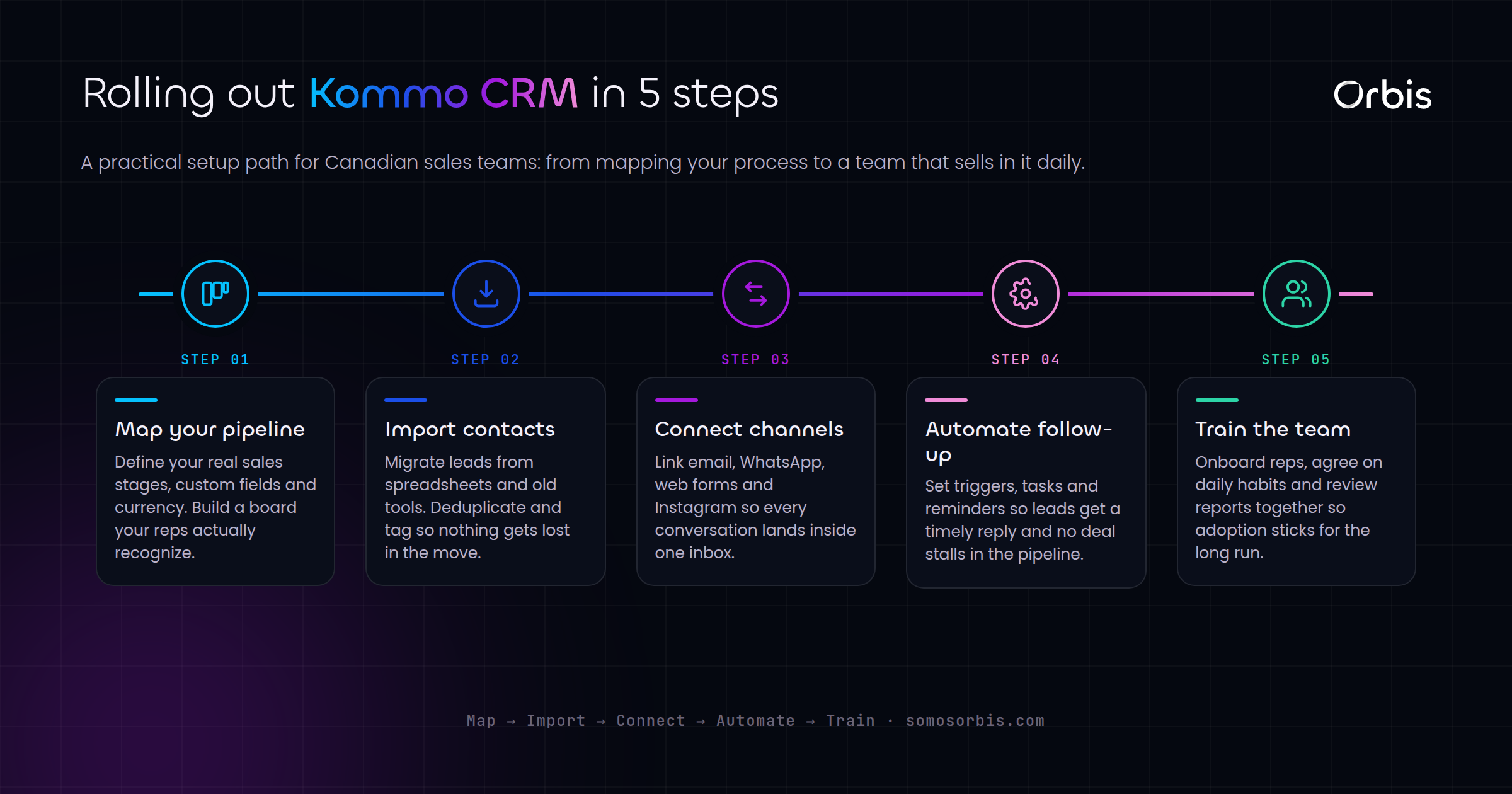
With the plan in hand, the build itself is straightforward. Here's the order of operations we recommend.
- Create your account and invite users. Set up your workspace, add each rep with the right role, and configure visibility so managers see all pipelines while reps see their own.
- Build your pipeline. Recreate the stages you mapped earlier. Name them in plain language your reps use day to day.
- Add custom fields. Create the lead and contact fields from your data plan, including a province dropdown and a language field.
- Connect your channels. Link WhatsApp Business, Instagram, Facebook, email and your website chat widget. Test each one by sending yourself a message and confirming it lands on the right lead.
- Set up templates and quick replies. Build a small library of message templates in both English and French for the questions you answer most.
- Configure tasks and reminders. Decide what triggers a follow-up task — a quote sent with no reply after 48 hours, for example — so nothing stalls.
- Import existing contacts. Bring in your current leads via CSV, mapping columns carefully to your new fields.
- Test the full journey. Run a fake deal from first message to closed-won before you let the team loose.
Designing pipelines that match how Canadians buy
A pipeline is only useful if reps trust it. The most common mistake is building a generic funnel that doesn't reflect the buying behaviour of your market. A few Canada-specific considerations:
- Account for seasonality. Many Canadian businesses see demand spike around back-to-school in late August, the run-up to the holidays, and Boxing Day. Build a "nurture / seasonal" pipeline so leads that aren't ready in, say, July don't get marked lost — they get parked and re-engaged when their season arrives.
- Separate B2B and B2C flows. If you sell to both businesses and consumers, give each its own pipeline. The stages, timelines and language differ enough that one shared funnel muddies your reporting.
- Build in a quoting stage. Canadian buyers frequently compare written quotes. Make "quote sent" an explicit stage so you can measure quote-to-close rate and spot where deals stall.
Pipelines are also where automation pays off most. CRM and automation are two halves of the same engine, and getting them working together is what separates a tidy contact database from a genuine revenue system. Our complete guide to marketing automation and CRM in Canada is the pillar resource for this — read it alongside this article to see how Kommo fits into a broader automation strategy.
Automating follow-ups with Salesbot
Kommo's Salesbot and trigger system let you automate the repetitive work that reps either forget or resent. Used well, automation gives every lead a consistent first response and frees your team to focus on the conversations that need a human. Practical automations Canadian teams set up early:
- Instant acknowledgement. When a new WhatsApp or Instagram message arrives outside business hours, Salesbot replies with a friendly note and the rep's next-business-day availability — useful given Canada's spread across six time zones.
- Qualification questions. The bot can ask for province, budget range and timeline before a rep ever picks up the thread, so the human conversation starts warm.
- Stage-based reminders. If a deal sits in "quote sent" for two days with no movement, Kommo creates a follow-up task automatically.
- Bilingual routing. Detect or ask for language preference, then route French-language leads to a bilingual rep and serve French templates.
Start small with automation. Ship one or two reliable flows, watch how they behave for a week, then expand. A bot that misfires erodes trust faster than no bot at all.
Bilingual and compliance considerations for Canada
Selling in Canada comes with a couple of obligations worth building into your CRM from day one, rather than bolting on later.
French-language readiness
If you do business in Quebec or serve federally regulated bilingual customers, plan for French from the start. That means French message templates, French custom-field labels where customer-facing, and at least one bilingual rep in your routing rules. Capturing a language preference field early lets every downstream automation respect it.
Consent and anti-spam expectations
Canada's anti-spam rules set a high bar for commercial electronic messages: you generally need consent before sending, a clear identification of who you are, and an easy way to unsubscribe. Configure Kommo so that consent status is a visible field on every contact, and so that bulk or automated outreach only fires to leads who've opted in. Keep your message templates honest and easy to opt out of. Building these quality processes into your CRM isn't just about staying within current regulations — it protects your sender reputation and your brand.
Data handling
Treat customer data with care: limit who can export contacts, keep your field list lean so you're not storing information you don't need, and document how leads enter and leave the system. Good documentation here makes audits painless and onboarding new reps faster.
Common mistakes Canadian teams make with Kommo
After enough implementations, the same avoidable errors show up again and again:
- Over-engineering the pipeline. Fifteen stages nobody updates is worse than five stages everyone does.
- Skipping the data import cleanup. Importing a messy spreadsheet just moves the mess into a nicer interface. Clean first.
- Automating before the manual process works. If your reps don't have a reliable follow-up habit, automating it just scales the chaos.
- Ignoring adoption. The best configuration fails if reps go back to their inboxes. Train the team, appoint an internal champion, and review usage in the first month.
- Forgetting French. Retrofitting bilingual support after launch is far more work than building it in.
Measuring success after launch
Once Kommo is live, watch a handful of metrics to confirm it's earning its keep. Track first-response time across your messaging channels, quote-to-close rate by pipeline stage, the share of deals with a logged next action, and pipeline velocity — how long deals spend in each stage. If response times drop and fewer deals stall in "quote sent," your build is working. If reps are quietly avoiding the CRM, dig into why before you add more features.
Review these numbers weekly for the first month, then monthly. Small, steady adjustments to stages, templates and automations will do more for your results than a big mid-year overhaul.
Getting your Kommo implementation right
A thoughtful Kommo setup turns scattered conversations into a sales process you can actually manage, forecast and improve. The platform does the heavy lifting on messaging and automation; the value comes from the planning — mapping your real process, designing pipelines around how Canadians buy, building bilingual and consent-ready workflows, and rolling out automation one reliable step at a time.
If you'd rather get it right the first time without burning weeks on trial and error, our team can handle the build for you. Explore our Kommo CRM implementation services in Canada to scope a setup tailored to your pipelines, your channels and your market — from initial configuration to bilingual templates, automation and team training. Book a consultation and we'll map your sales process to a Kommo build that your reps will actually use.