
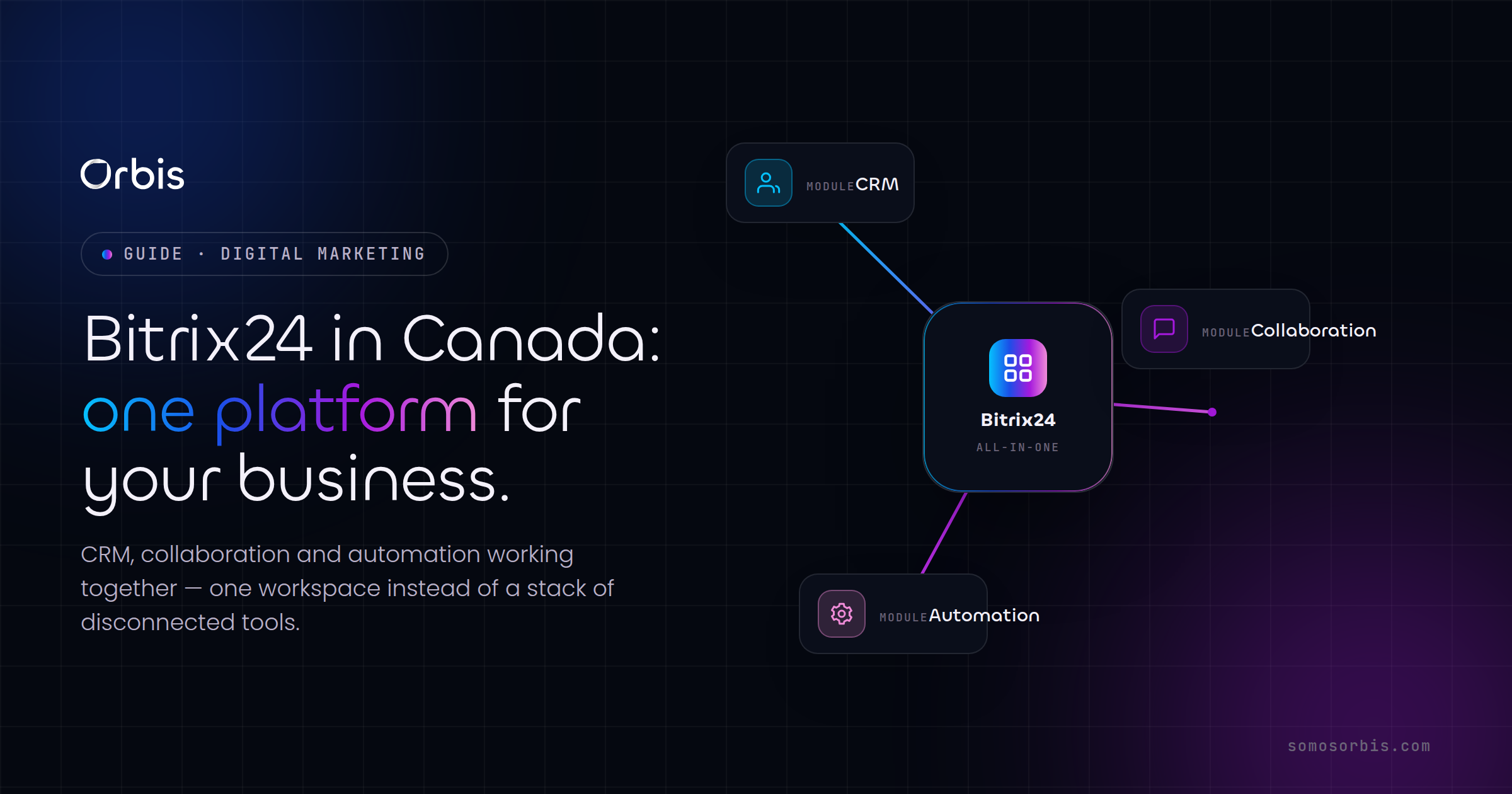
For Canadian businesses juggling a patchwork of disconnected tools — one app for sales, another for chat, a spreadsheet for projects, and yet another for documents — the cost is rarely a single line item. It shows up as lost deals that slip between systems, sales reps who never update the CRM, and managers who can't see what's actually happening across the team. Bitrix24 takes a different approach: it bundles CRM, team collaboration, task management, and automation into one platform. For a Toronto agency, a Vancouver wholesaler, or a Calgary services firm trying to consolidate without stitching together a dozen subscriptions, that promise is worth a serious look. This guide walks through what Canadian teams should understand before rolling out Bitrix24, where it fits, where it doesn't, and how to make the implementation stick.
What Bitrix24 Actually Is
Bitrix24 is best described as an all-in-one work platform rather than a pure CRM. It combines several product categories that most companies normally buy separately:
- CRM — leads, deals, contacts, companies, sales pipelines, quotes, and invoices.
- Collaboration — internal chat, video calls, an activity feed, a company knowledge base, and shared drives.
- Project and task management — Kanban boards, Gantt charts, workload planning, and time tracking.
- Automation — workflow rules, triggers, and a visual business-process designer.
- Contact centre — connectors for email, web forms, live chat, and social messaging that funnel into the CRM.
The strategic appeal for Canadian SMBs is consolidation. Instead of paying per-seat for a CRM, a separate project tool, a chat app, and a document suite, you run most of your operation inside one login. That said, breadth is also the catch: Bitrix24 does many things competently rather than any single thing perfectly. Knowing that trade-off up front is the difference between a smooth rollout and an expensive disappointment.
Where Bitrix24 Fits in the Canadian Market
Bitrix24 tends to suit specific profiles well. It's a strong fit for service businesses, agencies, professional firms, and small-to-mid distributors that want sales, delivery, and internal communication living in the same place. It's particularly attractive when budget discipline matters — the free tier and flat-rate paid plans (priced for a whole team rather than strictly per user on some plans) can be far gentler on cash flow than stacking multiple per-seat SaaS tools.
A few Canada-specific realities are worth naming early:
- Bilingual operations. If you serve customers in both English and French — common for teams in Montreal, Ottawa, or any firm selling into Quebec — plan your fields, pipeline stages, email templates, and knowledge base with both languages in mind from day one. Retrofitting bilingual content later is painful.
- Data residency and privacy. Canadian organizations operate under PIPEDA, and Quebec's Law 25 adds further obligations around consent and the handling of personal information. Before you migrate customer data, confirm where it will be hosted (Bitrix24 offers cloud and self-hosted options) and document how consent, access, and retention will be managed. This is exactly the kind of compliance-by-design thinking that should sit at the front of any CRM rollout, not the end.
- Seasonality. Canadian demand cycles — back-to-school in late summer, the Black Friday through Boxing Day retail surge, and the holiday slowdown into January — should shape how you build pipelines, set automation timing, and plan capacity. A CRM that ignores your real calendar produces forecasts nobody trusts.
Core Capabilities to Plan Around
CRM and Sales Pipelines
The CRM is the heart of most Bitrix24 deployments. You can model multiple pipelines — for example, a "New Business" pipeline separate from a "Renewals" or "Upsell" pipeline — each with its own stages. The temptation is to recreate every nuance of your sales process with fifteen stages and forty custom fields. Resist it. Start with the smallest pipeline that reflects how deals actually move, and add complexity only when the team asks for it. A clean pipeline that reps will actually update beats an elaborate one they quietly abandon.
Practical setup advice for Canadian teams:
- Capture currency explicitly and default to CAD, so reporting and forecasting don't silently mix dollars.
- Standardize how you record province and region — it pays off when you analyze performance by market or plan regional campaigns.
- Define what "qualified" means in writing and tie it to a specific stage, so the pipeline measures something consistent.
Collaboration and Internal Communication
Bitrix24's chat, activity feed, and video calling are genuinely useful for distributed teams — relevant for any Canadian company spanning multiple time zones from Halifax to Vancouver. The collaboration layer earns its keep when it's connected to work: comments tied to a specific deal, tasks created directly from a chat message, and a knowledge base where your playbooks and pricing actually live. Treat it as the operational fabric around the CRM, not a separate Slack-style island.
Task and Project Management
Once a deal closes, delivery begins — and this is where many CRMs leave you. Bitrix24 keeps the thread intact: you can spin up a project or task group from a won deal so the same platform that tracked the sale now tracks fulfillment. For agencies and service firms, that continuity between sales and delivery is one of the strongest reasons to choose it over a CRM-only tool.
Automation and Business Processes
Automation is where the platform starts paying back the implementation effort. Common, high-value automations include:
- Auto-assigning incoming leads to the right rep based on region, product line, or language preference.
- Triggering follow-up tasks and reminders when a deal sits too long in one stage.
- Sending templated emails at defined pipeline milestones — in English or French depending on the contact.
- Notifying a manager automatically when a high-value deal is created or stalls.
- Generating onboarding tasks the moment a deal is marked won.
Connecting Bitrix24 to the rest of your stack — your website forms, accounting tool, or marketing platform — multiplies that value. If you're thinking about how sales and marketing handoffs should be automated end to end, our overview of marketing and sales automation for Canadian teams is a useful companion to the platform-specific work here.
Bitrix24 vs. Other CRMs Canadian Teams Consider
No CRM is right for everyone, and the honest comparison matters more than the feature checklist. Bitrix24's distinctive position is breadth-at-a-price: you're consolidating several tools into one. The trade-off is that each individual module is "good enough" rather than category-leading, and the interface can feel dense to newcomers because there's simply so much in it.
By contrast, a tool like Kommo is leaner and built tightly around messaging-driven, conversational sales — if most of your deals happen over WhatsApp, Instagram, or live chat, that focus can win. We cover that scenario in our guide to choosing Kommo CRM in Canada. The decision usually comes down to a simple question: do you primarily need a sharp sales CRM, or do you need a single platform to run sales, delivery, and internal collaboration together? If it's the latter, Bitrix24 makes a strong case.
For a broader, vendor-neutral framework on selecting and connecting these systems, start with our pillar resource — the complete guide to marketing automation and CRM for Canadian businesses. It's the best place to ground your decision before committing to any single platform.
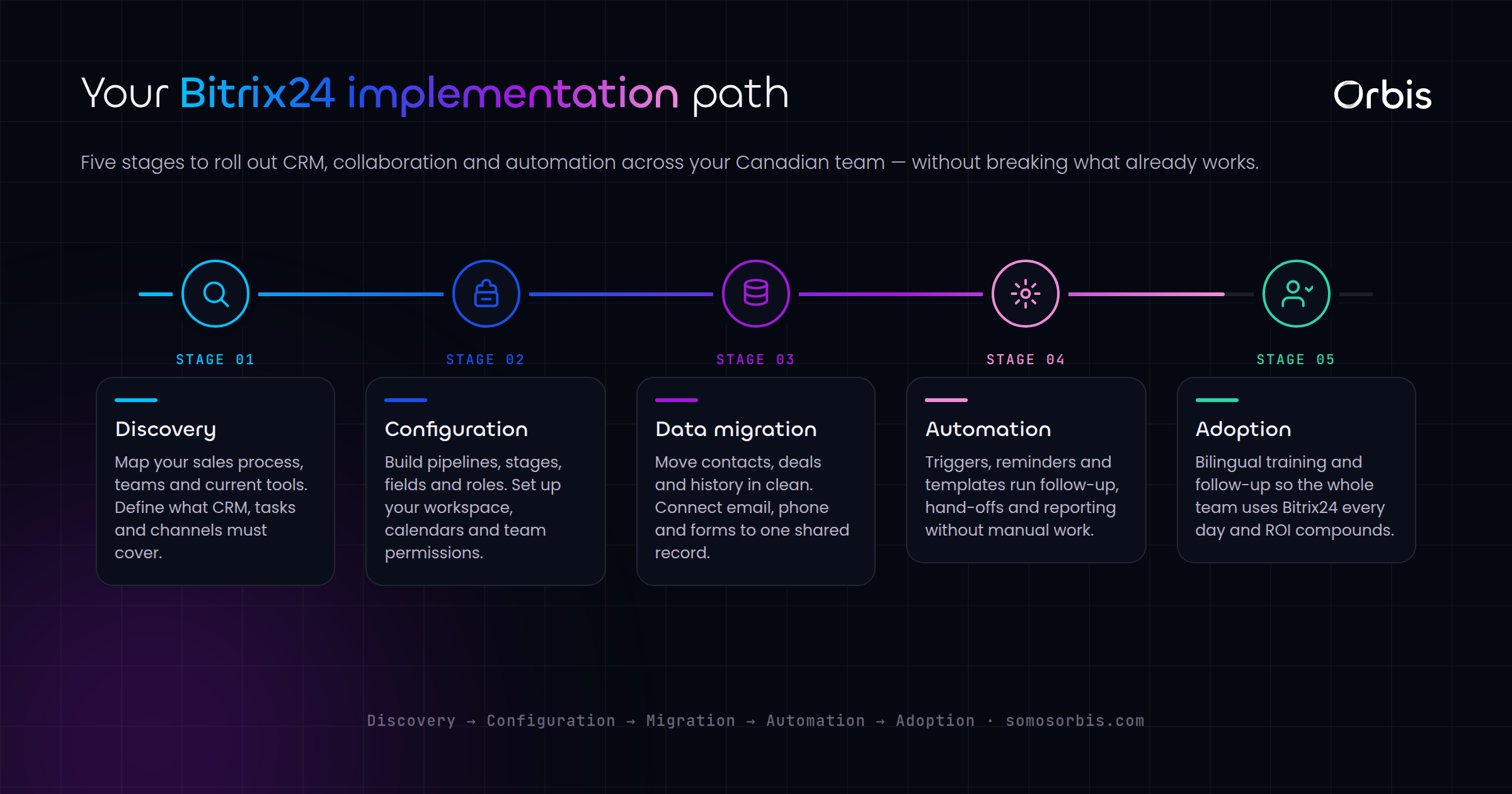
A Practical Implementation Roadmap
The platform you choose matters less than how you roll it out. Most failed CRM projects fail on process and adoption, not software. Here's a sequence that works for Canadian SMBs.
1. Map Your Process Before You Touch the Software
Document how a lead becomes a customer today — every stage, handoff, and decision point. Note where deals currently fall apart. This map becomes the blueprint for your pipeline and automations. Building in the software first and discovering your process afterward is the most common and most expensive mistake.
2. Configure the Core, Not Everything
Set up one well-designed pipeline, the custom fields you genuinely need, and your user roles and permissions. Stand up the contact-centre channels — web forms and email at minimum — so new leads flow in automatically. Hold back the advanced modules until the basics are working.
3. Migrate Data Cleanly
Garbage in, garbage out. Before importing, deduplicate your contacts, fix inconsistent province and currency formatting, and drop dead records. Confirm your migration respects PIPEDA and, where relevant, Law 25 — including how you'll handle consent and data-retention rules for the records you bring over.
4. Layer In Automation Gradually
Add automations one at a time, and verify each one before building the next. A handful of reliable, well-understood automations beats a tangle of rules nobody can debug. Lead routing and stalled-deal reminders are usually the highest-impact place to begin.
5. Train for Adoption, Then Measure It
Adoption is the whole game. Train by role rather than dumping the full feature set on everyone, write short bilingual quick-reference guides if your team works in both languages, and appoint an internal champion who owns the system. Then watch real usage metrics — login frequency, deals updated, tasks completed — for the first ninety days and coach against what you see.
Common Pitfalls to Avoid
- Over-configuring on day one. Too many fields and stages create friction that kills adoption. Start lean.
- Skipping data cleanup. Migrating messy data just relocates the mess and erodes trust in the system fast.
- Treating it as IT's project. A CRM rollout is a sales and operations initiative. Leadership has to use it visibly or the team won't.
- Ignoring bilingual and compliance needs. For Canadian teams, language and privacy aren't afterthoughts — designed in late, they become rework.
- No clear owner. Without someone accountable for the platform, configuration drifts and adoption decays within months.
Measuring Whether It's Working
Define success before you launch so you can prove it afterward. Useful indicators for a Canadian rollout include:
- Adoption rate — what share of the team logs in and updates records weekly.
- Pipeline visibility — can leadership see an accurate, current forecast in CAD without chasing reps?
- Cycle time — is the time from lead to close shrinking as automation removes manual steps?
- Lead response time — how fast new inbound leads get a first touch, ideally automated.
- Tool consolidation — how many separate subscriptions you've retired by moving into one platform.
Conclusion and Next Steps
Bitrix24 is a compelling option for Canadian businesses that want to consolidate CRM, collaboration, and automation into one platform without assembling a stack of per-seat tools. Its strength is breadth and budget efficiency; its risk is complexity. The teams that win with it treat the rollout as a process-and-adoption project, start lean, respect Canadian privacy and bilingual realities, and layer in automation deliberately.
If you're weighing Bitrix24 for your business and want it set up properly the first time — mapped to your real process, migrated cleanly, and built with compliance and bilingual operations in mind — our team can help. Learn more about our Bitrix24 implementation services for Canadian businesses and let's build a CRM and operations hub your team will actually use.