
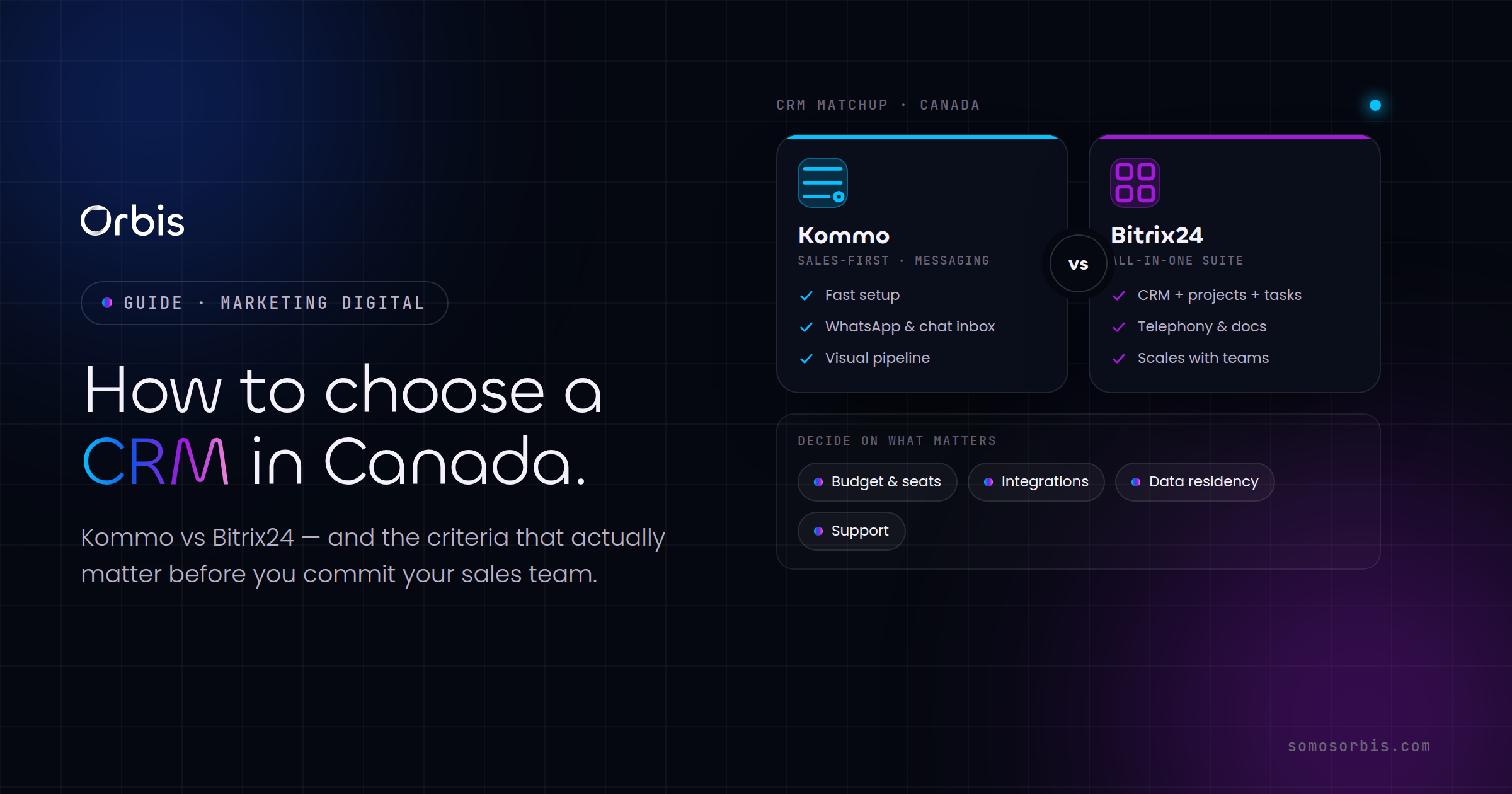
Choosing a CRM is one of those decisions that looks simple on a feature checklist and turns expensive the moment your team actually starts using it. For Canadian businesses, the calculus has a few wrinkles that vendors rarely highlight: bilingual EN/FR requirements, CAD billing and tax handling, data residency expectations, and sales cycles shaped by Canadian seasonality. This guide gives you a practical framework for evaluating a CRM, then applies it to two platforms we implement often for Canadian teams: Kommo and Bitrix24. The goal is not to crown a winner, it's to help you match the tool to how your business actually sells.
If you are still earlier in the journey and want the strategic view, start with our complete guide to marketing automation and CRM for Canadian businesses, which is the pillar resource this article supports. This piece zooms in on the selection decision itself.
Start with the decision, not the demo
Most CRM evaluations go wrong because they start with a sales demo instead of a clear definition of what you need the system to do. A polished demo will always look impressive. The question is whether the platform fits your team six months from now, when adoption, data quality and integrations decide whether the investment pays off.
Before you compare any tools, write down the answers to these questions:
- Who actually uses it daily? A two-person sales team has very different needs than a 40-seat operation with marketing, sales and support all touching the same records.
- How do leads reach you? WhatsApp and Instagram DMs, web forms, phone, referrals, or a mix. The right CRM is the one that captures your real channels without manual copy-paste.
- What does a deal look like? Number of stages, average length, who approves, and where deals typically stall.
- What must it connect to? Accounting, your e-commerce platform, email marketing, calendars and any tool your team already lives in.
- What is your true budget? Not just the per-seat licence, but onboarding, data migration, training and the integrations you'll need.
With those answers written down, the comparison becomes objective. You're no longer asking "which CRM is best," you're asking "which CRM fits this." That reframing alone prevents most buyer's remorse.
The seven criteria that actually matter in Canada
We use the same scoring framework with every Canadian client. Rate each platform from one to five against these seven criteria, weighted to your priorities.
1. Total cost in CAD, not the sticker price
Per-seat pricing is the easy number to compare, and the most misleading. The real cost includes onboarding, data migration, paid integrations, premium support tiers and the hours your team spends getting productive. A platform that's cheaper per seat but needs three paid add-ons to do what you need is not cheaper. Always model the fully loaded annual cost in CAD, and watch for vendors that quote in USD, where exchange rates quietly inflate your bill.
2. Bilingual and language support
If you sell into Quebec or serve federal or bilingual markets, French support is not optional. Evaluate three layers: the admin interface language, the customer-facing templates and automations, and the support documentation your team will rely on. A CRM that handles English beautifully but forces awkward workarounds for French communications will frustrate both your reps and your Quebec customers.
3. Channel coverage and how you really capture leads
Canadian buyers move across channels: email and phone, but increasingly WhatsApp, Instagram and Facebook Messenger for retail, services and trades. The CRM should pull these into one timeline automatically. If your team is copy-pasting conversations from a phone into the CRM, adoption will collapse within weeks.
4. Automation depth
Look past "we have automation" to what it can actually do: lead routing, follow-up sequences, task creation, stage-based triggers and notifications. The difference between a CRM that reminds a rep to follow up and one that simply records that they didn't is the difference between revenue captured and revenue lost.
5. Integrations and your existing stack
Your CRM is the centre of a system, not an island. Check for native connectors to the tools you use, plus a real API and middleware support (Zapier and similar) for the rest. We cover this in depth in our guide to API integrations for Canadian businesses, because integration gaps are the single most common reason a CRM rollout underdelivers.
6. Scalability and admin overhead
Will this still fit when you double your team or add a second product line? Some platforms scale gracefully; others hit a wall where you need a dedicated administrator just to keep automations from breaking. Factor in the ongoing operational cost, not just today's needs.
7. Data handling and residency
Canadian organizations increasingly need clarity on where customer data is stored and how it's protected, especially under current privacy regulations and client procurement requirements. Ask any vendor directly where data lives, what their export options are, and how access is controlled. Building this in from day one is far cheaper than retrofitting it.
Kommo: built for conversation-led sales
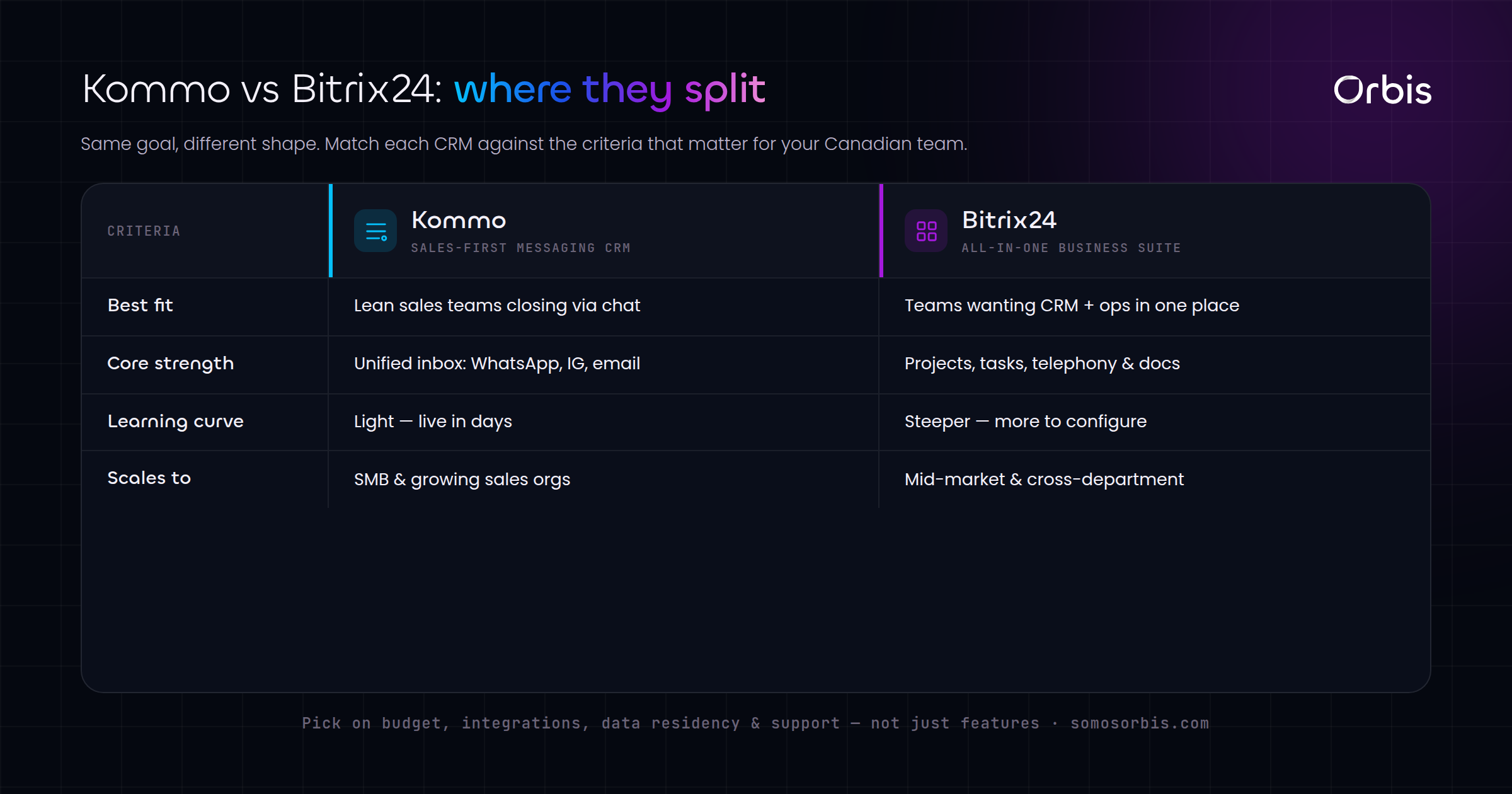
Kommo (formerly amoCRM) is a messaging-first CRM. Its core strength is unifying conversations from WhatsApp, Instagram, Facebook Messenger, Telegram, email and web chat into a single pipeline view, so a lead that starts in an Instagram DM and continues over WhatsApp stays as one record with one history.
Where Kommo fits best:
- SMBs and teams that sell through messaging. Retail, real estate, professional services, clinics, trades and any business where deals happen in chat.
- Teams that want fast adoption. The interface is approachable, and reps who already live in WhatsApp take to it quickly.
- Pipeline-centric sales. The drag-and-drop pipeline and built-in Salesbot automation cover the essentials without heavy configuration.
Where to be cautious: Kommo is sales-focused. If you need deep project management, an internal team intranet or complex multi-department workflows, you may outgrow it. It shines when the job is "turn conversations into closed deals," and it does that better than almost anything in its class.
For Canadian teams, the WhatsApp and Instagram integration is the headline. If a meaningful share of your leads arrive through social DMs, Kommo removes the manual work that kills CRM adoption. We've detailed platform specifics in our breakdown of Kommo CRM for the Canadian market, and we handle setup end to end through our Kommo implementation service.
Bitrix24: the all-in-one workspace
Bitrix24 takes the opposite approach. It's not just a CRM, it's a full business suite: CRM plus project management, tasks, internal chat, document storage, a company intranet and even website tools. For organizations that want to consolidate many tools into one platform, that breadth is genuinely appealing.
Where Bitrix24 fits best:
- Mid-sized and larger teams that want CRM, projects and internal collaboration under one roof.
- Cross-functional operations where sales, support and delivery teams need shared visibility and structured workflows.
- Budget-conscious consolidation, since replacing several separate tools with one suite can lower total spend.
Where to be cautious: that same breadth is the trade-off. Bitrix24 has a steeper learning curve, more configuration, and an interface that can feel dense to a small team that only wants a sales pipeline. The platform is powerful, but power you don't use is just complexity you pay for in slower adoption.
Kommo vs Bitrix24: how to choose
The honest answer is that these tools are built for different jobs, and the right choice follows from your answers to the framework above.
- Choose Kommo if your sales run on conversations, most leads arrive through messaging apps, you want fast adoption, and your primary need is a tight, automated sales pipeline.
- Choose Bitrix24 if you need a broader workspace that combines CRM with project management and internal collaboration, you have the appetite to configure it properly, and consolidating multiple tools is a strategic goal.
A useful rule of thumb: if your bottleneck is closing deals from incoming conversations, lean Kommo. If your bottleneck is coordinating work across multiple teams and tools, look harder at Bitrix24. Many Canadian SMBs we work with land on Kommo because their growth is channel-driven and adoption speed matters more than feature breadth, but the decision should always trace back to your written requirements, not the platform with the longer feature list.
The best CRM is the one your team will actually use every day. A platform with fewer features and 90 percent adoption beats a powerful suite that half your reps quietly avoid.
A practical evaluation checklist
Before you commit, run this sequence. It takes a couple of weeks and saves months of regret:
- Document your requirements using the five starter questions above. Get buy-in from the people who'll use the system daily.
- Score each platform against the seven Canadian criteria, weighted to your priorities.
- Run a real pilot. Load actual leads and have two or three reps work live deals for a week, not a sandbox with fake data.
- Test your must-have integrations specifically. An integration that exists "in theory" is not the same as one that works with your accounting or e-commerce setup.
- Model the fully loaded annual cost in CAD, including onboarding, migration and the add-ons you'll actually need.
- Plan the migration and training before you sign. A clean rollout is the difference between a CRM that sticks and one that's abandoned by Q3.
One Canadian-specific tip: time your rollout around your seasonality. Launching a new CRM the week before your back-to-school or holiday rush is a recipe for chaos. Pick a quieter stretch so your team can learn the system without revenue on the line.
Make the decision once, and make it stick
The cost of choosing the wrong CRM is rarely the licence fee. It's the months of low adoption, the leads that fall through the cracks, and the eventual painful migration to the platform you should have picked the first time. A disciplined evaluation, grounded in how your business really sells, gets you there far more reliably than a feature comparison ever will.
If you'd like a partner to run this properly, that's exactly what we do. Our team scopes your requirements, recommends the right fit for your Canadian operation, and handles configuration, integrations, data migration and team training so the platform is productive from day one. Explore our CRM implementation services to see how we take a CRM from decision to daily use, with Business Assurance built into every step: documented processes, revenue-focused configuration and compliance considered by design. Whichever platform you choose, the difference between a tool you bought and a system that grows revenue is the quality of the implementation behind it.