
Most Canadian businesses don't have a tools problem. They have a connection problem. You've invested in a CRM, an e-commerce platform, a payment processor, an email tool, an analytics suite, and probably a half-dozen others. Each one works well on its own. But when a customer places an order in Toronto at 9 p.m., does that order automatically create a contact in your CRM, trigger a bilingual confirmation email, update your inventory, and log revenue in your analytics dashboard? If the answer involves someone exporting a CSV on Monday morning, you have an integration gap, and it's quietly costing you money, accuracy, and growth.
This guide walks through how systems and API integrations actually work, where Canadian companies most often need them, and how to plan a stack where data flows cleanly from first click to closed revenue. It's the connective tissue behind every well-run marketing and sales operation, and it's the layer most teams ignore until the manual workarounds start breaking.
What "systems and API integrations" actually means
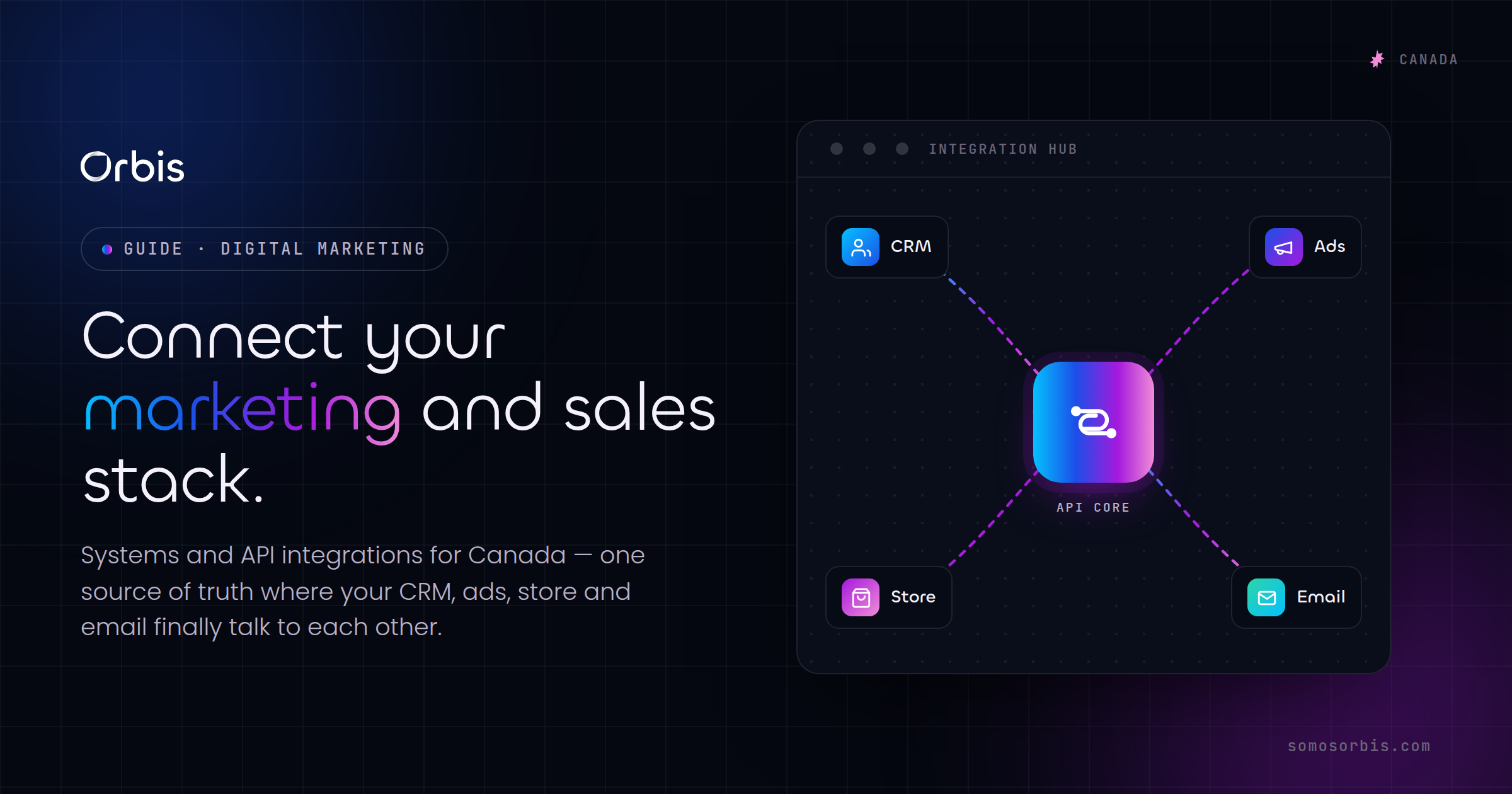
An API (Application Programming Interface) is the standardized way one piece of software talks to another. When your Shopify store tells your CRM "a new order just happened," it's using an API. An integration is the working pipeline you build on top of those APIs so the right data moves to the right place automatically, in the right format, at the right time.
In practice, integrations fall into a few categories:
- Native integrations — pre-built connectors offered by the vendors themselves (for example, a CRM that ships with a Shopify connector). Fast to turn on, limited in flexibility.
- iPaaS / middleware — platforms like Zapier or Make that sit between your tools and move data based on triggers and actions. Great for speed and for teams without developers.
- Custom API integrations — purpose-built connections, often needed when you have specific logic, high data volumes, or tools that don't talk to each other out of the box.
- Webhooks — real-time "push" notifications a system sends the instant an event happens, instead of waiting for a scheduled sync.
The goal isn't to use the fanciest method. It's to choose the lightest reliable option for each connection so your stack stays maintainable.
Why integrations matter more in the Canadian market
Every business benefits from connected systems, but the Canadian context adds specific pressures that make integration a competitive advantage rather than a nice-to-have.
Bilingual data has to stay clean
If you serve customers in both English and French, language preference is a data point that needs to travel with the contact record. When a lead from Montreal fills out a French form, that preference should flow into your CRM and automatically route them into French email sequences and French-speaking sales reps. If that flag gets dropped between systems, you send English follow-ups to a French customer, and trust erodes immediately. Integrations are what keep the language attribute attached to the person across every tool.
Canadian seasonality demands automation
Boxing Day, back-to-school, and the holiday rush create sharp, predictable volume spikes. During Boxing Day week, a retailer might process more orders in 72 hours than in the previous month. Manual data handling collapses under that load. Connected systems don't care whether it's a quiet Tuesday in March or the busiest hour of the year — orders sync, confirmations fire, and inventory updates at the same speed regardless of volume.
Compliance and currency need to be designed in
Canadian businesses operate under current privacy regulations and anti-spam rules that govern how consent and customer data are handled. When consent is captured at the form and passed cleanly through every connected system, you have a documented, auditable trail rather than a guess. The same discipline applies to CAD handling, tax fields, and provincial differences — these should be set once and propagated automatically, not re-entered tool by tool. This is the practical side of building compliance into the plumbing instead of bolting it on later.
The core connections most Canadian stacks need
You don't need to integrate everything at once. Start with the connections that carry revenue and customer data, then expand. Here are the integrations that deliver the most value for a typical marketing and sales stack.
CRM at the centre
Your CRM should be the single source of truth for who your customers are. That means nearly everything connects back to it: web forms, e-commerce orders, payment events, support conversations, and ad platforms. If you haven't settled on the right platform yet, work through that decision before you start wiring connections — our guide to choosing a CRM in Canada covers how to evaluate options for bilingual operations and Canadian compliance, and it's far cheaper to integrate the right CRM once than to migrate later.
E-commerce to CRM and inventory
When an order is placed, several things should happen automatically: the customer record is created or updated, the order is attached to that record, inventory decrements, and the appropriate post-purchase email sequence begins. For Shopify-based Canadian retailers, this connection is the difference between a Boxing Day that runs itself and one that requires all hands re-keying data.
Payments and finance
Payment processors hold critical signals: successful charges, failed payments, refunds, and subscription renewals. Integrating these into your CRM and analytics means a failed payment can automatically trigger a dunning sequence, and your revenue reporting reflects reality in CAD without anyone reconciling spreadsheets.
Marketing automation and email
This is where integration turns data into action. A clean connection between your CRM and your automation platform lets behaviour — a purchase, an abandoned cart, a downgraded plan — trigger the right message in the right language at the right moment. We go deep on this in our pillar resource on marketing automation and CRM for Canadian businesses, which is the best starting point if your automation and CRM aren't yet talking to each other properly.
Conversational tools and chatbots
A chatbot that can't write to your CRM is just a fancy FAQ. When your conversational layer is integrated, a website chat that qualifies a Vancouver lead at 11 p.m. can create the contact, tag the interest, and notify a rep — no human awake required. If you're considering adding conversational automation, our overview of chatbots for Canadian businesses explains where they fit and how integration makes them genuinely useful rather than a dead end.
Analytics and attribution
Marketing analytics are only as honest as the data feeding them. Integrating ad platforms, your site, and your CRM lets you trace a closed deal back to the campaign that started it. Without that connection, you're optimizing ad spend on guesses. With it, you can confidently shift CAD budget toward the channels that actually produce revenue.
How to plan an integration project (without breaking what works)
Integration projects fail when teams start connecting tools before they've mapped what they actually need. Here's a sequence that keeps the work grounded.
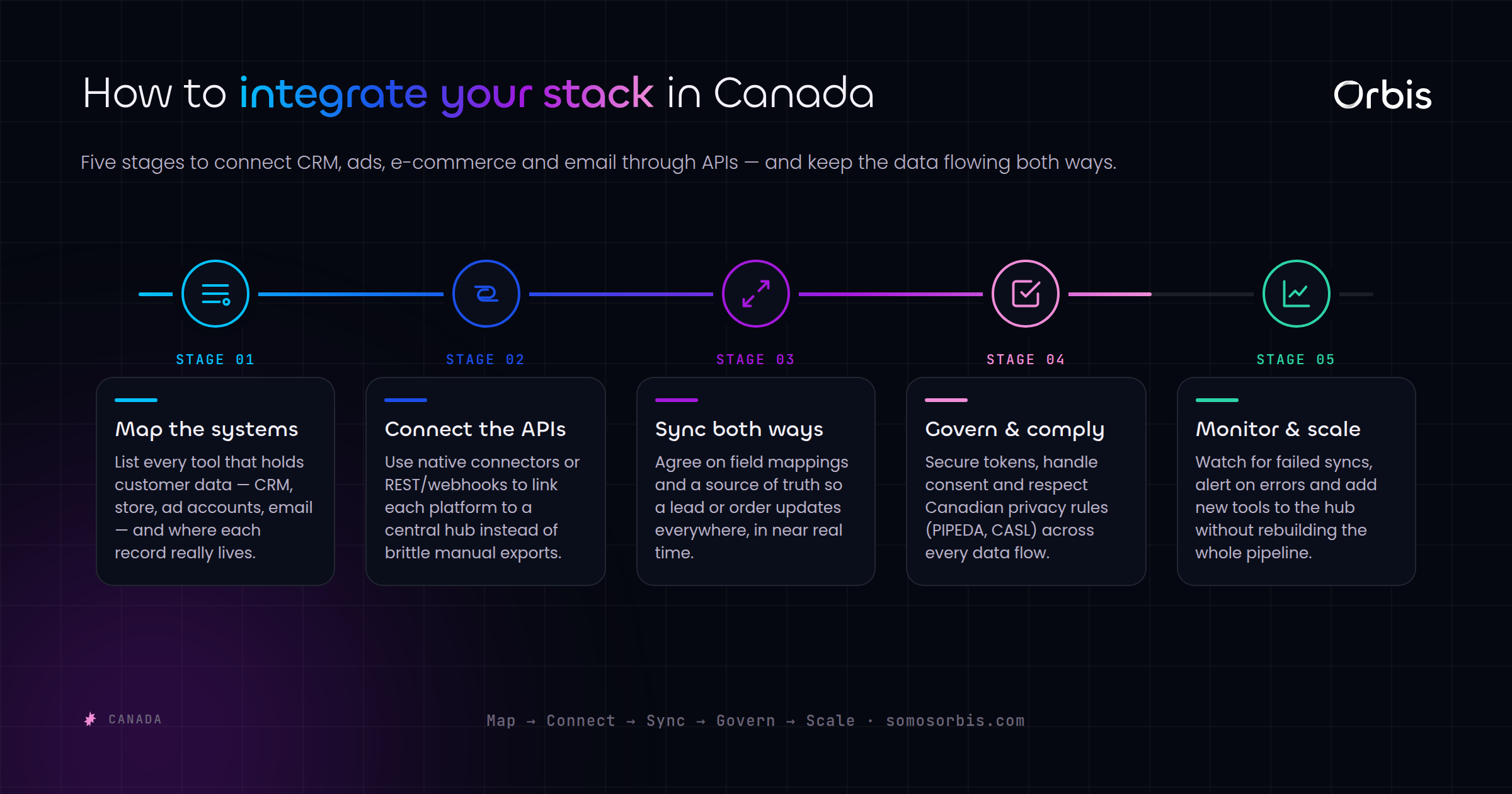
- Map your data flows. Draw every place customer data is created (forms, store, chat, ads) and every place it needs to land (CRM, email, analytics, finance). The gaps between them are your integration backlog.
- Define the source of truth. For each data type — contact, order, revenue, consent — decide which system owns it. When two systems disagree, the owner wins. This single decision prevents most data-quality headaches.
- Prioritize by revenue and risk. Connect the pipelines that carry money and compliance-sensitive data first. A broken order sync hurts more than a delayed analytics refresh.
- Choose the lightest reliable method. Use native connectors where they're solid, middleware where you need flexibility without code, and custom API work only where volume or logic demands it.
- Handle errors deliberately. Every integration needs a plan for what happens when a sync fails — retries, alerts, and a place where failed records land so nothing disappears silently.
- Document everything. Map which system sends what to where, on what trigger. When something breaks at 2 a.m. on Boxing Day, documented processes are the difference between a five-minute fix and a lost weekend.
The most expensive integration is the one nobody documented. It works perfectly until the person who built it leaves, and then no one knows why the orders stopped flowing.
Common integration mistakes Canadian teams make
- Syncing everything, all the time. Pushing every field between every tool creates noise, slows things down, and multiplies failure points. Move only the data each system actually needs.
- Ignoring the French side. Building and testing integrations in English only, then discovering language preference never made it into the CRM. Test bilingual flows end to end.
- No error handling. Assuming syncs always succeed. They don't — APIs rate-limit, tokens expire, and formats change. Silent failures are the worst kind.
- Treating consent as an afterthought. Consent and communication preferences must travel with the contact through every system to keep you onside with Canadian rules.
- Building for today's volume. A workflow that handles 50 orders a day may buckle at 5,000 during the holidays. Plan for your peak, not your average.
Build it once, build it right
Connected systems are what let a small Canadian team operate like a much larger one. When your CRM, store, payments, automation, and analytics share clean data automatically, your people stop copying records between tabs and start working on the things software can't do. Marketing gets honest attribution, sales gets warm context, finance gets accurate CAD reporting, and customers get fast, consistent, bilingual experiences — even at the busiest hour of the year.
This is engineering work, and it pays back every day after it's done. If you want a stack where data flows cleanly from first click to closed revenue, our team can map your systems and build the connections for you — explore our systems and API integrations services in Canada to see how we connect CRMs, e-commerce, payments, and analytics into one reliable, documented operation. Stop exporting CSVs on Monday mornings, and let your tools do the work they were built to do.