
Most Canadian businesses don't have a sales problem. They have a follow-up problem, a visibility problem, and a "the lead came in at 9 p.m. and nobody saw it until Tuesday" problem. Marketing automation and a properly implemented CRM solve all three at once — but only when they're built around how your team actually works, not around a feature list. This guide walks through how Canadian companies in Toronto, Vancouver, Montreal, Calgary and beyond choose, implement and scale CRMs, chatbots, automation and integrations. It's the long-form, practical version: what to buy, what order to build it in, what breaks, and how to keep it compliant with Canadian privacy and anti-spam rules along the way.
We've delivered these systems for more than 15 years across 500+ clients, and the pattern is consistent. The companies that win aren't the ones with the most expensive software. They're the ones who documented their process first, automated the boring parts, and connected their tools so data stops dying in spreadsheets. If you want the short version: start with the process, then the CRM, then automation, then integrations. If you want the version that actually helps you do it, keep reading.
Why Canadian businesses are moving to automation now
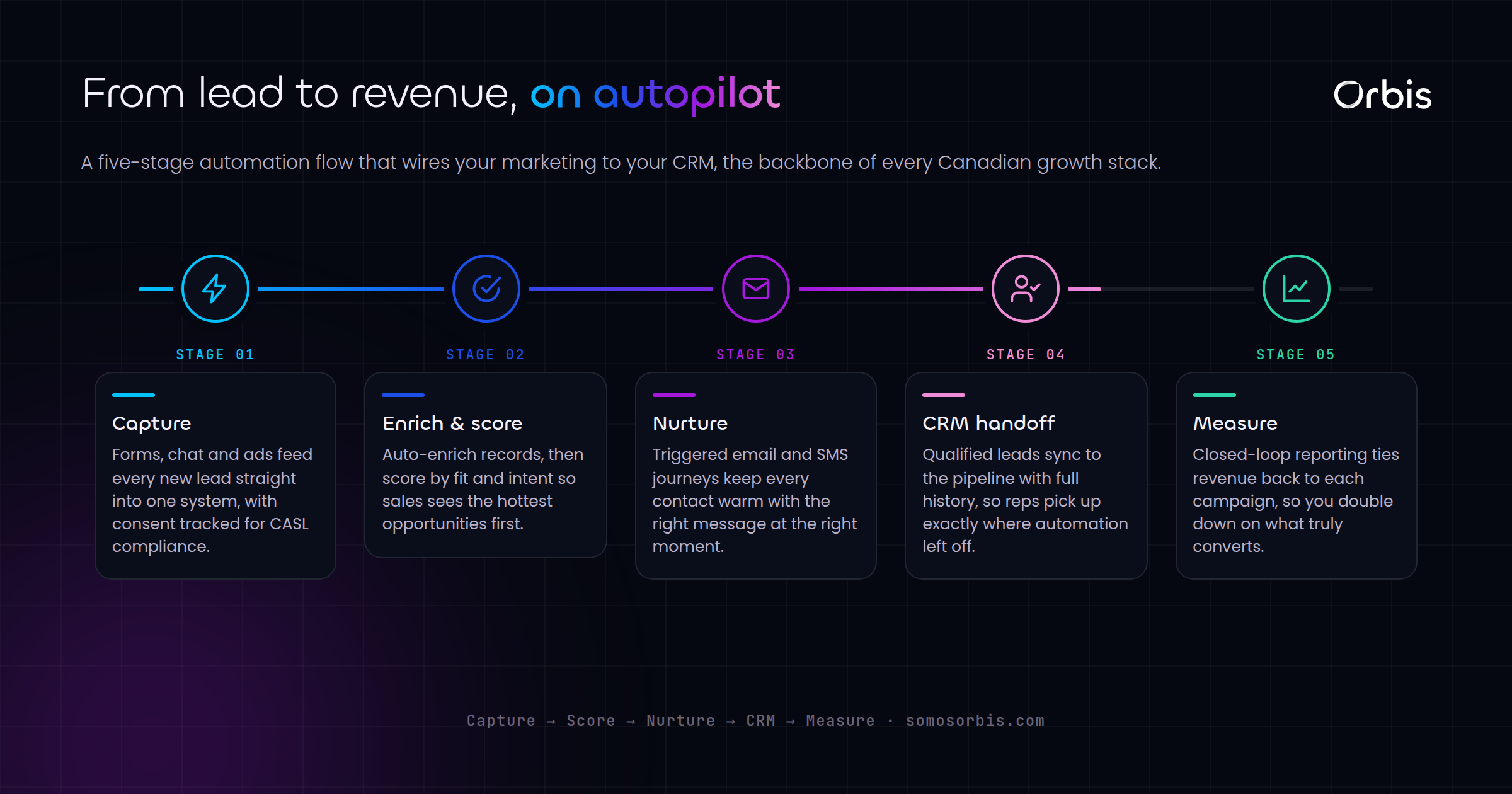
Three forces are pushing Canadian SMBs and mid-market firms toward marketing automation and CRM in 2026. First, buyers expect speed. A Toronto homebuyer who fills out a form at 11 p.m. expects a reply before they've finished comparing three other agents. Second, labour is expensive and tight. Automating repetitive admin lets a lean team in Calgary punch well above its headcount. Third, the data is fragmenting — leads arrive from Meta, Google, your website, a Shopify store, a phone call, and a WhatsApp message, and without a system they scatter.
There's also a bilingual reality unique to Canada. If you sell in Quebec, your automation, forms, and chatbot flows often need to operate in both English and French — and increasingly, French-first under provincial language expectations. Automation that can branch by language isn't a nice-to-have here; it's table stakes. The same goes for seasonality: Boxing Day, back-to-school, and the holiday run-up create predictable demand spikes that automated nurture and re-engagement campaigns are built to capture.
What "marketing automation" actually means
The term gets thrown around loosely, so let's be precise. Marketing automation is the set of triggered, rules-based actions that move a contact through your funnel without a human doing it manually each time. In practice that includes:
- Lead capture and routing — a form or chatbot creates a contact and assigns it to the right rep instantly.
- Nurture sequences — timed emails, SMS, or WhatsApp messages that educate and warm up a lead.
- Behaviour-based triggers — someone visits your pricing page twice, so a rep gets a task to call.
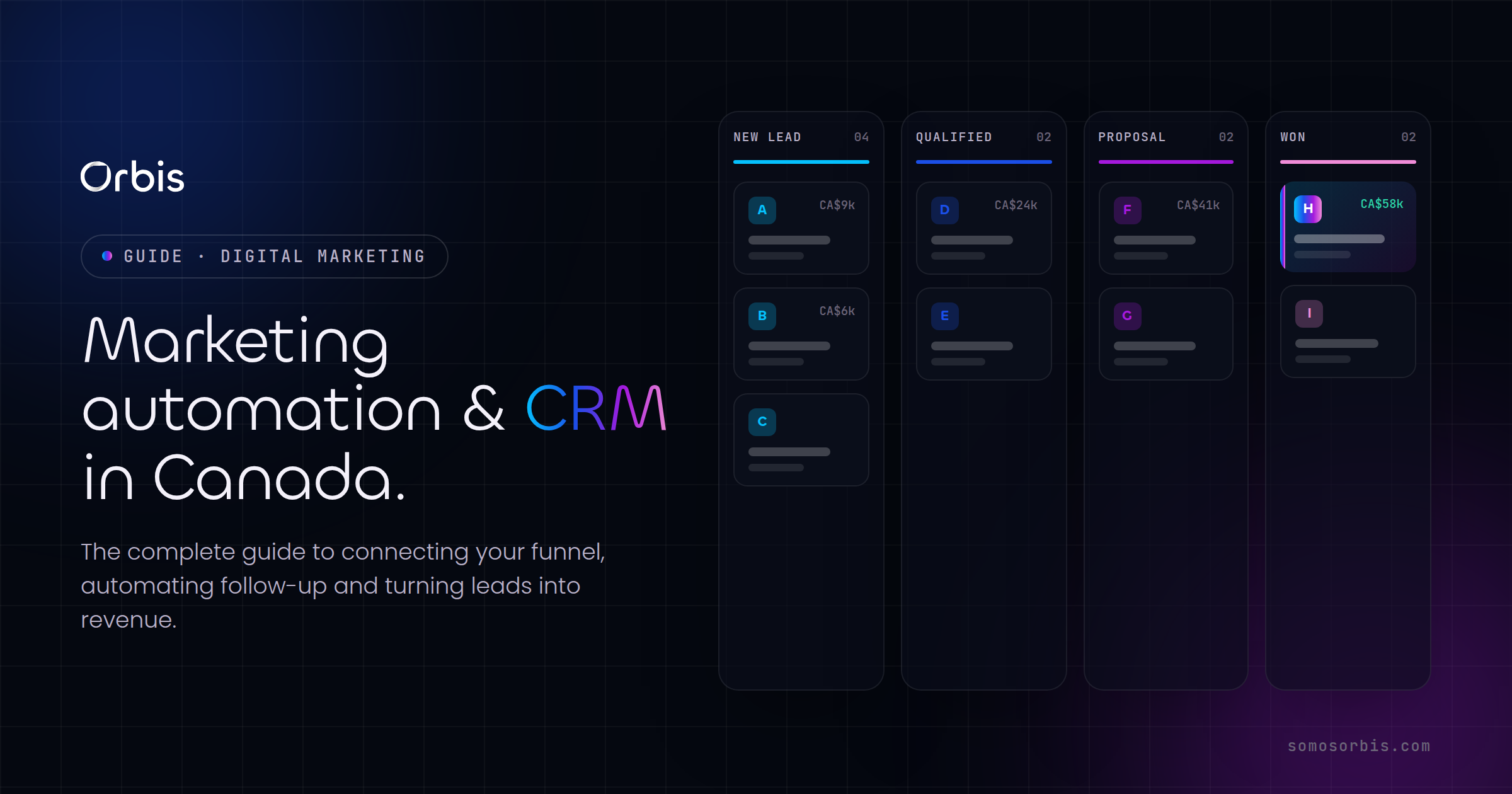
- Pipeline automation — deals move stages, create follow-up tasks, and notify managers automatically.
- Re-engagement and win-back — dormant contacts get pulled back in around seasonal peaks.
A CRM is the database and command centre underneath all of it. Automation without a CRM is a set of disconnected campaigns; a CRM without automation is an expensive address book. You want both, working together. That's the core of what we build in our marketing and sales automation implementations — the plumbing that connects capture, nurture, and close.
Step 1: Document your process before you buy anything
This is the step almost everyone skips, and it's the one that determines whether the project succeeds. Software doesn't fix a broken process — it accelerates it, in whatever direction it's already pointing. If your lead handoff is chaotic today, automating it just makes the chaos faster.
Before evaluating a single tool, map your actual revenue process end to end. We call this Documented Processes, and it's the foundation of how we approach every build. Get specific:
- Where do leads come from? List every source — paid ads, organic search, referrals, walk-ins, inbound calls, social DMs.
- What happens in the first five minutes? Who responds, how fast, and with what message.
- What are your real pipeline stages? Not the textbook ones — the stages a deal actually passes through in your business.
- What triggers a stage change? Define the objective signal that moves a deal from "qualified" to "proposal sent."
- Where do deals stall and die? Be honest about the leaks. These are your highest-ROI automation targets.
- What does "won" require operationally? Contracts, onboarding, invoicing — the post-sale handoff matters too.
Write this down as a flowchart or a simple table. The output of this step becomes the blueprint for your CRM configuration. Skip it and you'll spend months retrofitting the software to a process you never defined. If you want a structured way to choose the right platform once the process is mapped, our CRM selection guide for Canadian businesses walks through the scoring criteria in detail.
Step 2: Choosing the right CRM for the Canadian market
There's no single best CRM — there's a best fit for your size, sales motion, and budget. Here's how the main contenders break down for Canadian businesses, with the trade-offs that actually matter.
Kommo (formerly amoCRM)
Kommo is built around messaging-first sales. If your team closes deals over WhatsApp, Instagram, Facebook Messenger, and Telegram — common for Canadian real estate, professional services, and B2C retail — Kommo shines. Its visual pipeline, built-in messenger inbox, and Salesbot automation make it fast to deploy and easy for non-technical teams to adopt. It's a strong choice for SMBs that want speed-to-value without a heavy IT lift. We cover the full setup in our Kommo CRM guide for Canada.
Bitrix24
Bitrix24 is the Swiss Army knife — CRM, project management, telephony, intranet, and document collaboration in one platform. It suits Canadian companies that want to consolidate tools and have the appetite to configure a more complex system. The free and low-cost tiers are generous, which appeals to budget-conscious mid-market firms, but it rewards a thoughtful implementation. Our Bitrix24 implementation guide for Canada covers the rollout in depth.
HubSpot, Salesforce, Pipedrive and others
- HubSpot — excellent for content-led, inbound marketing teams; strong native automation and reporting; pricing scales up quickly as you add seats and hubs.
- Salesforce — the enterprise standard; near-infinite customization; needs dedicated admin resources and is overkill for most SMBs.
- Pipedrive — clean, sales-focused, easy to adopt; lighter on marketing automation, so often paired with a separate email tool.
A simple selection framework
Score each candidate against criteria that reflect your reality, not a generic checklist:
- Channel fit — does it natively handle the channels your customers actually use?
- Automation depth — can it run the triggers and sequences you mapped in Step 1?
- Integration ecosystem — does it connect to your website, ad platforms, accounting, and e-commerce?
- Bilingual capability — can it operate cleanly in English and French if you serve Quebec?
- Total cost at scale — model the price at 2x your current headcount, not today's.
- Data residency and compliance — where is data stored, and does the vendor support Canadian privacy obligations?
Whatever you choose, the platform matters less than the implementation. A well-implemented Pipedrive beats a poorly implemented Salesforce every time. That's why we focus our implementation services on configuration and adoption, not just installation.
Step 3: Building automation that closes deals
With a CRM chosen and your process documented, you build the automation layer. The goal is simple: remove every manual step that doesn't require human judgment, and surface the moments that do. Here are the automations that consistently move revenue for Canadian businesses.
Instant lead response
The single highest-impact automation is speed-to-lead. Research across industries is brutally consistent: contact a lead within five minutes and you're many times more likely to convert than if you wait an hour. Build a flow where any new lead — from any source — triggers an immediate automated acknowledgment, assigns the contact to the right rep by territory or product line, and creates a "call now" task. For a Vancouver brokerage or a Montreal clinic, this alone can lift conversion meaningfully.
Multi-step nurture sequences
Not every lead is ready to buy today. A nurture sequence keeps you top of mind without manual effort. Map sequences by segment — a back-to-school retail lead gets a different cadence than a B2B enterprise prospect. Include value-first content, not just "buy now" pushes. In Quebec, branch the sequence by language so French-speaking contacts receive French messaging from the first touch.
Pipeline and task automation
- Auto-create follow-up tasks when a deal enters a new stage, so nothing slips.
- Notify a manager when a high-value deal stalls past your defined threshold.
- Auto-schedule reminders before quotes or trials expire.
- Trigger onboarding workflows the moment a deal is marked won.
Seasonal re-engagement campaigns
Canadian buying is seasonal, and your automation should be too. Build evergreen re-engagement campaigns that activate around Boxing Day, back-to-school, and the holiday season. Tag dormant contacts and pull them into a targeted offer sequence ahead of each peak. This turns your CRM database from a static list into a recurring revenue engine. We design these as part of our marketing and sales automation playbook for Canada.
Step 4: Chatbots and conversational automation
Chatbots have grown up. They're no longer clunky decision trees — a well-built bot qualifies leads, books meetings, answers common questions, and hands off to a human at exactly the right moment. For Canadian businesses dealing with after-hours inquiries and bilingual customers, they're one of the highest-leverage tools available.
Where chatbots earn their keep
- After-hours capture — that 11 p.m. form-filler gets an instant, useful response instead of silence.
- Lead qualification — the bot asks the questions a rep would, scores the lead, and routes accordingly.
- Appointment booking — integrated with your calendar, the bot books demos and consultations directly.
- Bilingual service — detect or ask for language preference and serve English or French automatically.
- FAQ deflection — common questions get answered instantly, freeing your team for real conversations.
Design principles that matter
A chatbot that frustrates customers is worse than no chatbot. Keep flows short, always offer a path to a human, and be transparent that customers are talking to a bot. Connect it directly to your CRM so every conversation creates or updates a contact record — a chatbot that doesn't write to your CRM is just a toy. We go deep on building these in our guide to chatbots for Canadian businesses.
Step 5: Integrations — making your tools talk to each other
This is where most automation projects quietly fail. You can have a great CRM and slick chatbots, but if your tools don't share data, your team still copies and pastes between systems, and your reporting is fiction. Integration is the connective tissue that turns a collection of apps into a system.
The integrations Canadian businesses need most
- Website to CRM — every form, every chatbot conversation, every booking flows straight into the CRM.
- Ad platforms to CRM — Meta and Google lead ads push directly into your pipeline, and conversion data flows back so you can optimize spend on what actually closes.
- E-commerce to CRM — for Shopify and other stores, sync customers, orders, and abandoned carts to trigger automated follow-up.
- Accounting and invoicing — won deals create invoices automatically; payment status updates back into the CRM.
- Calendar and telephony — bookings and call logs attach to the right contact without manual entry.
- Messaging apps — WhatsApp, Instagram, and Messenger conversations live alongside email in one timeline.
Connectors vs. custom API integrations
You have two paths. Pre-built connectors and platforms like Zapier or Make handle common, low-volume connections quickly and cheaply. For higher volume, custom logic, or systems without a ready-made connector, you need a proper API integration. The right answer is usually a mix — connectors for the simple stuff, custom integration where reliability and scale matter. We architect both through our systems and API integrations service, and we break down the decision in our guide to API integrations for Canadian businesses.
The test of a good integration is invisibility. When it works, nobody thinks about it. Data simply appears where it should, when it should, and your team trusts the numbers.
Step 6: Compliance by design — Canadian privacy and anti-spam
Automation that ignores Canadian regulations is a liability, not an asset. Build compliance in from the start rather than bolting it on after a complaint. This is what we mean by Compliance by Design, and in Canada it centres on two pillars.
Consent and anti-spam
Canada's anti-spam legislation governs commercial electronic messages. Your automation must respect consent — capture it properly, record it, and honour unsubscribes promptly. Practical implications for your build:
- Only send automated messages to contacts who've given valid consent, and store the proof.
- Include clear sender identification and a working unsubscribe in every message.
- Suppress unsubscribed contacts automatically across every sequence — not just the one they opted out of.
- Set expiry logic for implied consent so contacts don't get messaged indefinitely.
Privacy and data handling
Canadian privacy expectations require you to collect only what you need, tell people what you're collecting and why, and protect it. In your CRM and automation:
- Be transparent on forms and chatbots about what data you collect and how you'll use it.
- Restrict access to contact data by role, so reps see what they need and no more.
- Have a defined retention and deletion policy, and honour data access and deletion requests.
- Understand where your vendor stores data and whether that meets your obligations and your customers' expectations.
Following current regulations and quality processes isn't just risk reduction — it's a trust signal that increasingly wins deals, especially with Canadian enterprise and public-sector buyers who scrutinize vendor compliance.
Step 7: Rollout, adoption and measurement
The best-configured system is worthless if your team doesn't use it. Adoption is where implementations live or die, and it's the most underinvested phase. Plan for it deliberately.
A phased rollout
- Pilot with one team — prove the workflow with a small group before company-wide launch.
- Migrate data cleanly — deduplicate and standardize before importing; garbage in, garbage forever.
- Train on workflows, not features — show people how to do their actual job in the system, not a feature tour.
- Appoint internal champions — every team needs someone who owns the system and helps peers.
- Iterate fast — collect feedback in the first weeks and fix friction before it hardens into avoidance.
The metrics that prove ROI
Decide what success looks like before you launch, then instrument it. Track:
- Speed-to-lead — average time from inquiry to first response.
- Conversion rate by stage — where deals advance and where they leak.
- Pipeline velocity — how fast deals move from open to won.
- Automation coverage — share of routine tasks handled without manual work.
- Marketing-sourced revenue — revenue attributable to automated nurture and re-engagement.
- Data quality — completeness and accuracy of contact records over time.
This is Revenue Engineering in practice: treating your sales and marketing system as something you measure, tune, and improve continuously, not a one-time install.
Common mistakes Canadian businesses make
- Buying software before mapping the process. The number-one cause of failed implementations.
- Over-automating the human moments. Automate the admin; keep humans in the relationship-building.
- Ignoring French-speaking customers. If you serve Quebec, bilingual flows aren't optional.
- Treating compliance as an afterthought. Anti-spam and privacy belong in the design, not the cleanup.
- Skipping integration. Disconnected tools recreate the manual work you were trying to eliminate.
- Underinvesting in adoption. No training, no champions, no usage — and the project quietly dies.
- Never measuring. Without metrics you can't prove ROI or improve.
A realistic timeline and what to expect
For a typical Canadian SMB, a focused implementation runs in phases over weeks, not years. A practical sequence looks like this: process mapping first, then CRM configuration and data migration, then core automations and lead routing, then chatbots and integrations, and finally rollout, training, and measurement. Mid-market firms with more systems to connect take longer, mostly in the integration phase. The mistake is trying to do everything at once — sequence it, ship value early, and expand.
The compounding effect is what makes this worth it. Each phase makes the next more powerful: documented process makes the CRM clean, a clean CRM makes automation reliable, reliable automation makes integrations valuable, and good integrations make your reporting trustworthy. That's a system that scales with you instead of breaking under growth.
Budget-wise, be realistic about total cost of ownership, not just licence fees. A Canadian SMB should plan for three cost buckets: the software subscription itself, the implementation work to configure it properly, and the ongoing optimization to keep it sharp as your business changes. The temptation is to spend everything on licences and nothing on implementation — which is exactly backwards. A modest platform configured well will outperform a premium platform left at its defaults. Treat the implementation as the investment and the software as the commodity.
How to know it's working
Set a 90-day checkpoint after go-live and review hard numbers against your baseline. Did speed-to-lead drop? Are deals moving through the pipeline faster? Has the share of manual admin work fallen? Are reps logging into the CRM daily because it genuinely helps them, or avoiding it because it's a chore? Honest answers here tell you whether you have a living system or shelfware. If adoption is lagging, the fix is almost always workflow simplification and better training, not more features. The strongest signal of success is mundane: your team reaches for the system instinctively because it makes their day easier and their numbers better.
Related guides
This is the pillar guide. For deeper, hands-on detail on each piece, work through the companion guides:
- CRM selection guide for Canadian businesses — a scoring framework to choose the right platform.
- Kommo CRM for Canada — setting up messaging-first sales.
- Bitrix24 implementation in Canada — rolling out the all-in-one platform.
- Marketing and sales automation in Canada — the automations that move revenue.
- Chatbots for Canadian businesses — conversational automation done right.
- API integrations for Canadian businesses — connecting your stack reliably.
Where to start
If you take one thing from this guide: don't start with the software. Start with your process, then choose a CRM that fits how you actually sell, automate the steps that don't need human judgment, connect your tools so data stops dying in spreadsheets, and build compliance in from day one. Do it in that order and you'll have a revenue engine that gets stronger every quarter.
Orbis has spent more than 15 years building these systems for over 500 clients — as a Google Partner with a 4.9-star rating across 58 reviews, and as certified partners across Meta, Shopify, Kommo, Zapier, Pinterest and more. If you're ready to move from scattered tools to a system that scales, explore our implementation services and let's map your build together. The first step is a conversation about your process — everything else follows from there.