
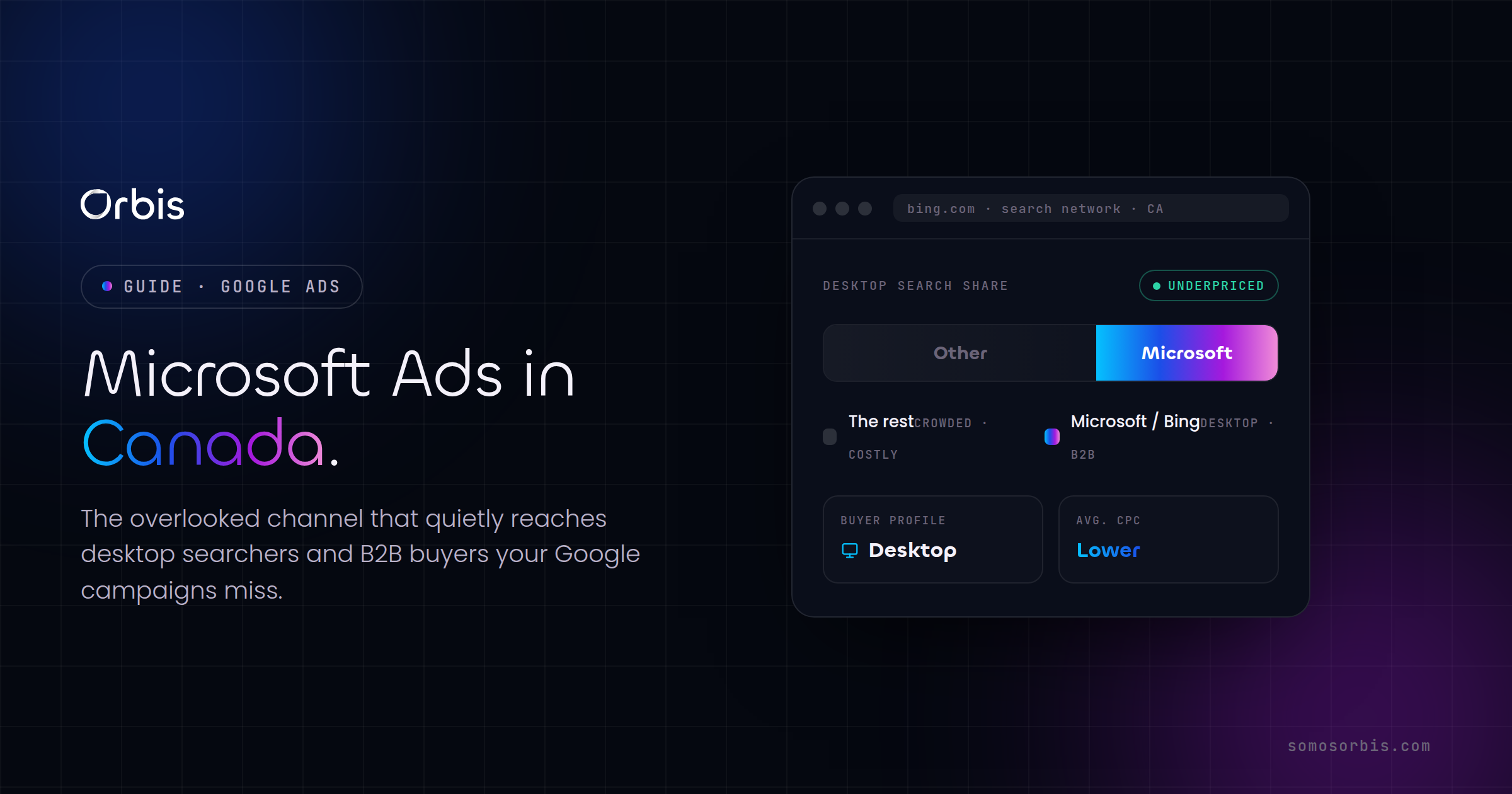
Most Canadian advertisers pour their entire paid search budget into Google and never look anywhere else. That is understandable — Google owns the lion's share of search in Canada — but it also means a meaningful slice of your buyers, especially desktop users and B2B decision-makers, are being reached by your competitors at a lower cost per click. Microsoft Ads (formerly Bing Ads) is the channel almost everyone overlooks, and that neglect is precisely what makes it worth testing. Lower competition, a measurably different audience, and the ability to import your existing Google campaigns in minutes make it one of the easiest experiments a Canadian marketing team can run this quarter.
This guide walks through why Microsoft Ads deserves a place in your media mix, who the audience actually is in Canada, how to import and adapt your Google campaigns without copying their mistakes, and how to read the results so you know whether to scale or shelve it. If you are still building out the fundamentals of search, start with our complete guide to Google Ads in Canada — it is the pillar this article builds on, and the concepts there carry directly into the Microsoft ecosystem.
Why Microsoft Ads Is the Overlooked Channel in Canada
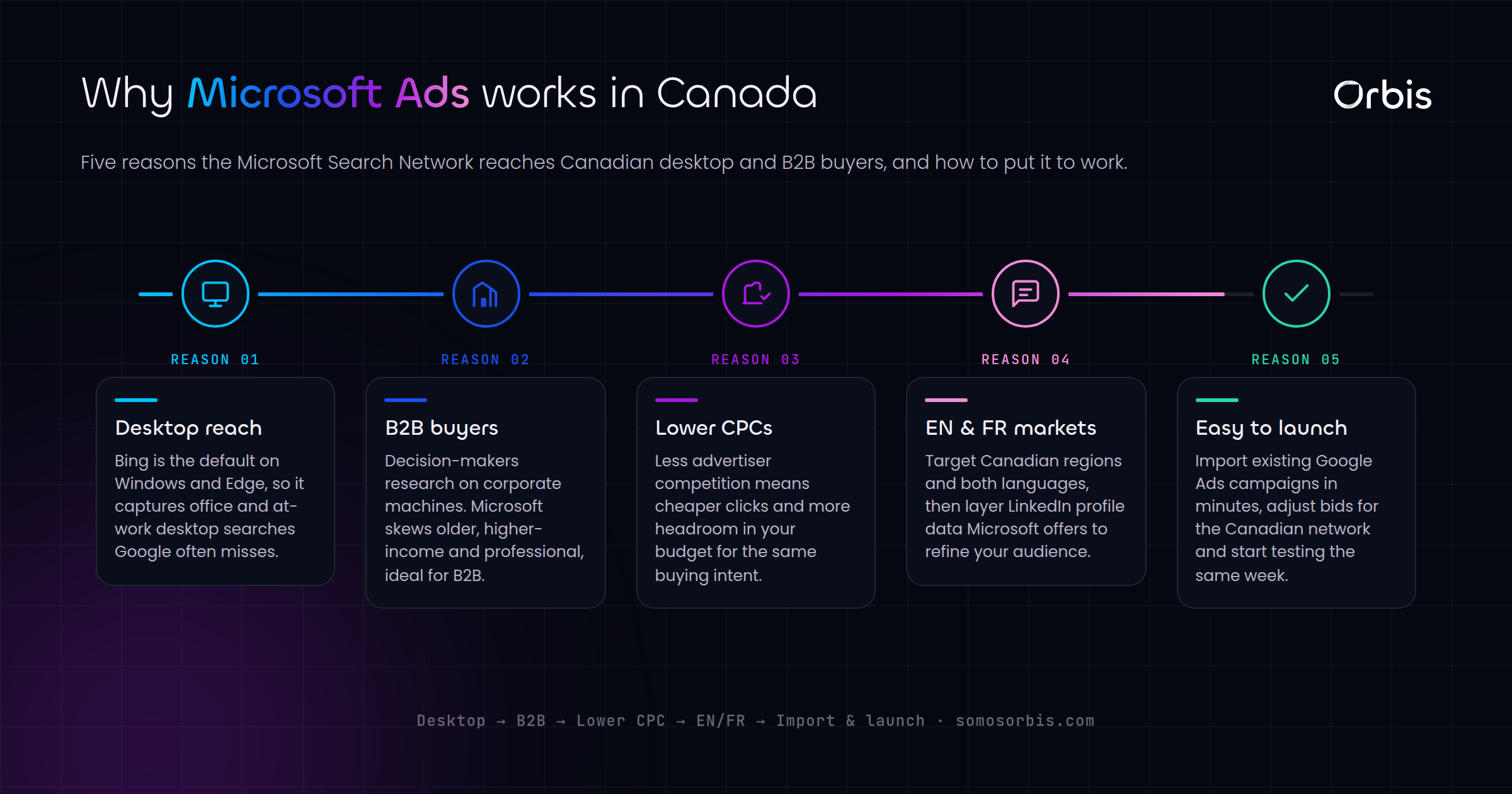
The Microsoft Advertising network powers paid results across Bing, Yahoo, DuckDuckGo, AOL, and — critically — the search box built into Windows, Edge, and the Office suite. Every Canadian running a corporate laptop on Windows is, by default, a potential Microsoft Ads impression. That distribution footprint is the single most important thing to understand about the channel, because it explains the audience skew that makes it valuable.
Three structural advantages stand out for Canadian advertisers:
- Lower competition, lower cost. Because fewer advertisers bid on the network, average cost per click is frequently lower than Google for the same keywords. In competitive Canadian verticals — financial services, SaaS, professional services, manufacturing — that gap can be substantial, which means your budget buys more clicks and more conversions.
- A desktop-heavy, higher-income audience. The network leans toward desktop and toward older, more affluent users. For products and services with a longer consideration cycle or a higher price point, that is a more qualified click on average.
- Less wasted spend on accidental traffic. Because the audience is more deliberate and desktop-oriented, you tend to see fewer fat-finger mobile clicks and more genuine research-mode visits.
None of this means Microsoft Ads replaces Google. It means it complements Google by reaching buyers your Google campaigns either miss or pay a premium to reach. The right framing is incremental volume at a favourable cost, not a wholesale channel swap.
Who You Actually Reach: Desktop and B2B Buyers
The audience composition is the whole argument for the channel, so it is worth being specific about who shows up.
The desktop majority
A large share of Microsoft Ads traffic comes from desktop devices, which makes sense given the network's tight integration with Windows and Edge. For Canadian businesses selling considered purchases — enterprise software, equipment, B2B services, high-ticket consumer goods — desktop sessions tend to convert better because the buyer is sitting down to research rather than glancing at a phone in line for coffee. If your landing pages and lead forms are built for a focused desktop session, Microsoft Ads plays directly to that strength.
The B2B advantage
This is where Microsoft Advertising has a genuinely unique asset: LinkedIn profile targeting. Because Microsoft owns LinkedIn, you can layer targeting by company, industry, and job function on top of your search and audience campaigns. For a Canadian agency or B2B vendor trying to reach, say, operations directors at mid-market manufacturers in Ontario, that capability simply does not exist on Google. You can bid up when the searcher matches your ideal company profile and bid down — or exclude — when they do not.
Practical Canadian use cases where this pays off:
- A Toronto-based professional services firm targeting finance and legal job functions during weekday business hours.
- A Vancouver SaaS company layering industry targeting (technology, healthcare) onto branded and competitor-conquest keywords.
- A Calgary equipment supplier reaching procurement and operations roles at energy-sector companies.
- A Montreal firm running French-language and English-language ad groups in parallel to serve a bilingual buyer base.
If your buyers are people, not businesses, the LinkedIn angle matters less — but the desktop, higher-income skew still tends to favour considered-purchase consumer categories.
How to Import Your Google Campaigns Into Microsoft Ads
The fastest way to launch is to import what you have already built and refined in Google. Microsoft's import tool pulls your campaign structure, keywords, ads, extensions, and many settings across in a few clicks. Here is the workflow that avoids the common pitfalls.
- Connect and import. In Microsoft Advertising, use Import from Google Ads. Authenticate, select the campaigns you want, and choose a one-time import for your first test rather than a recurring sync — you want manual control while you learn the channel.
- Review what came across. Check that geographic targeting is set to your intended Canadian regions, currency is CAD, time zone is correct, and language settings match your audience. Imports occasionally default to broader or US-centric settings.
- Audit budgets and bids. Do not assume your Google bids are right for Microsoft. Because competition and CPCs differ, start with the imported bids but expect to adjust within the first two weeks based on actual cost-per-click data.
- Re-link conversion tracking. This is the step people skip and regret. Imported campaigns do not automatically inherit working conversion tracking. Install the Universal Event Tracking (UET) tag on your site and define your conversion goals before you spend a dollar, or you will be optimizing blind.
- Map your negative keyword lists. Confirm your negative keywords transferred. Clean traffic on a lower-volume network matters even more, because there is less data to dilute waste.
Import to save time on setup, not to skip the thinking. The campaigns that win on Microsoft are the ones that were adapted after import, not the ones left on Google autopilot.
Adapting, Not Just Copying: What to Change After Import
A straight copy of your Google account will run, but it will underperform what the channel is capable of. The differences between the platforms are exactly where the opportunity lives.
Rethink keywords and match types
Lower search volume changes the math on match types. On Microsoft you can often afford broader match coverage without drowning in irrelevant queries, because the total query pool is smaller and the audience is more deliberate. Loosen match types selectively, watch the search terms report closely for the first few weeks, and prune aggressively. The discipline you apply when you set up search campaigns the right way applies here too — tight ad groups, intent-matched keywords, and ruthless negatives.
Lean into LinkedIn and audience layers
Add the targeting you cannot use elsewhere. Layer LinkedIn company, industry, and job-function targeting onto your B2B campaigns as bid modifiers first (observe, don't restrict) so you collect data before you narrow. Add in-market and remarketing audiences the same way. This is the single biggest adaptation that separates a thoughtful Microsoft test from a lazy import.
Adjust device and schedule bidding
Given the desktop skew, review device bid adjustments rather than inheriting your Google mobile-first posture. For B2B, consider stronger bids during weekday business hours in the relevant Canadian time zones, since that is when decision-makers are researching from work machines.
Tighten ad copy for the audience
Copy that wins clicks from a mobile consumer is not always the copy that wins a desktop B2B researcher. Speak to evaluation, comparison, and credibility — specs, proof points, and clear next steps — and make sure your landing experience matches that more considered intent.
Where Microsoft Ads Fits in a Full Canadian Media Mix
Microsoft Ads works best as one disciplined layer in a coordinated strategy, not as an island. Search demand capture on Google and Microsoft handles people actively looking. Pair that with upper-funnel demand generation so the searches exist in the first place — our breakdown of YouTube Ads for brand awareness in Canada covers how to feed the funnel that search later converts. The pattern is simple: build awareness up top, capture intent across both search networks below, and let cheaper Microsoft clicks improve your blended cost per acquisition.
A sensible test sequence for most Canadian advertisers:
- Weeks 1–2: Import your best-performing Google search campaigns, fix settings and tracking, and let them gather baseline data.
- Weeks 3–4: Adapt — adjust bids to real CPCs, loosen match types where clean, and layer in LinkedIn and audience targeting.
- Weeks 5–8: Evaluate cost per conversion and lead quality against Google, then decide whether to scale budget, refine, or pause.
How to Measure Whether It Worked
Run the test like an experiment with a clear verdict, not a vague hope. The metrics that matter:
- Cost per conversion (CAD), not just CPC. Cheaper clicks only count if they convert. Compare cost per qualified lead or sale against your Google benchmark for the same keywords.
- Lead quality, especially for B2B. Track which channel produces leads that actually progress in your pipeline. A slightly higher cost per lead can still win if those leads close.
- Incrementality. Ask whether Microsoft is adding net-new conversions or simply shifting them. The goal is incremental volume at an attractive cost, lowering your blended acquisition cost.
- Search terms hygiene. On a lower-volume network, a handful of wasteful queries can distort your numbers. Review search terms weekly during the test.
Give it enough runway to reach statistical honesty — typically six to eight weeks and a budget large enough to generate a real number of conversions. Judging the channel off a week of thin data is the most common way teams wrongly conclude it does not work.
Get Microsoft Ads Working for Your Canadian Business
Microsoft Ads is rarely going to be your biggest channel — but for desktop-oriented and B2B Canadian advertisers, it is one of the most reliable sources of incremental, lower-cost conversions you can add without rebuilding anything. The import takes minutes; the advantage comes from adapting it for a different audience and measuring it honestly. If you would rather have a team handle the import, the LinkedIn targeting, the tracking, and the optimization for you, explore our Microsoft Ads management services in Canada and let's build a test that gives you a clear answer in a single quarter.