
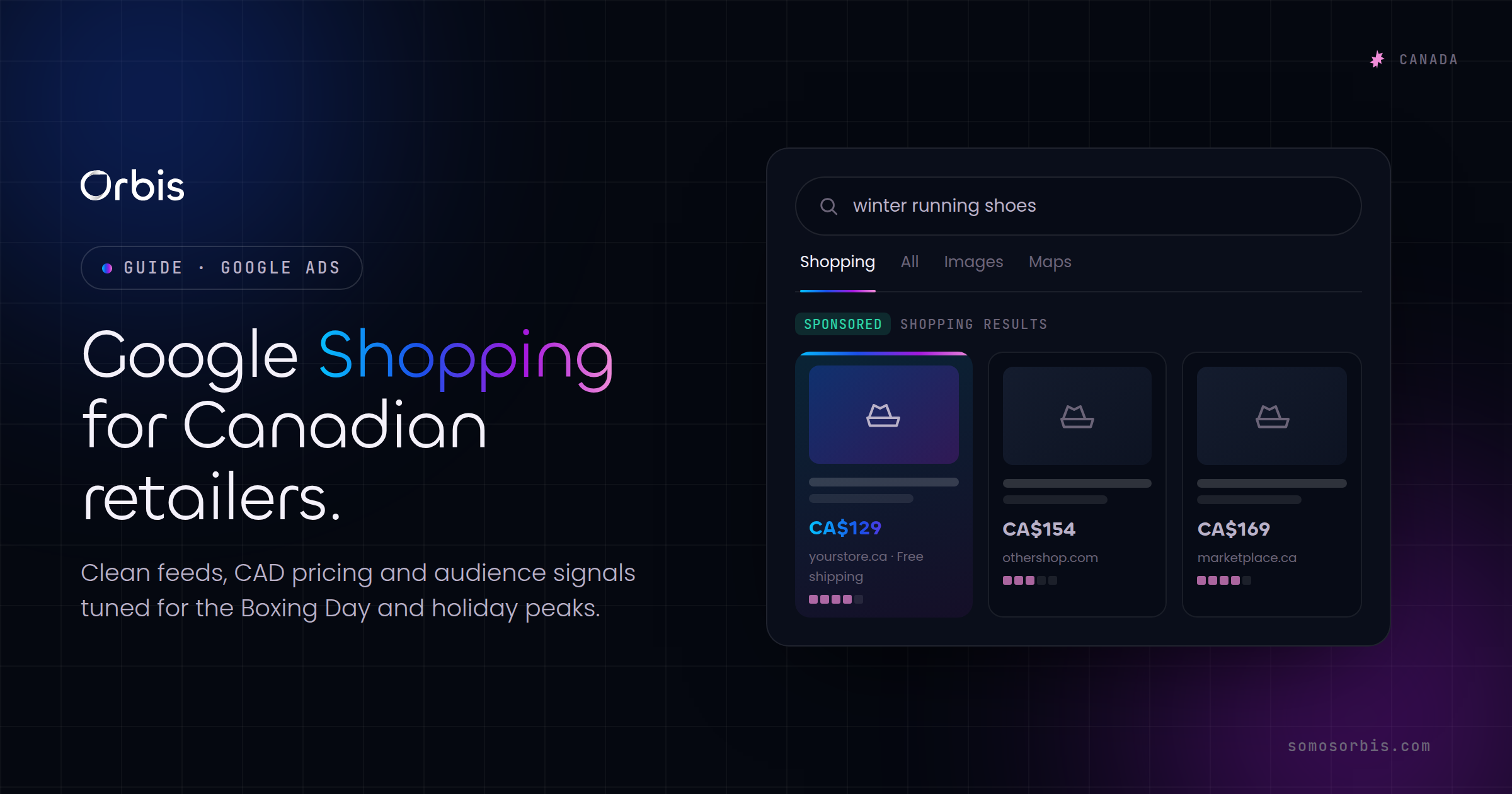
For Canadian retailers, Google Shopping is rarely a "nice to have." It is the surface where most product discovery now happens, sitting at the top of the search results page with images, prices in Canadian dollars and store names before a single text ad loads. If you sell physical products in Canada, the quality of your Shopping feed and the timing of your bids around the country's distinct retail calendar will do more for your revenue than almost any other paid-media lever. This guide walks through how to build a feed that actually wins auctions, how to handle CAD pricing and bilingual realities, and how to scale through the two peaks that define Canadian e-commerce: back-to-school and the Boxing Day–driven holiday stretch.
Shopping is a different discipline from text search. You do not write headlines that trigger on keywords; you give Google a clean, complete product feed and let the algorithm match products to queries. That shift means your competitive edge lives in data quality, pricing structure and inventory accuracy rather than ad copy. It is the most "operational" channel in paid media, and Canadian retailers who treat it as a data problem consistently outperform those who treat it as an advertising problem. If you want the full picture of how Shopping fits alongside Search, Display and YouTube, our complete guide to Google Ads in Canada is the pillar to read first; this post goes deep on the Shopping side.
Why Google Shopping is non-negotiable for Canadian e-commerce
Canadian shoppers research before they buy, and they increasingly start that research with a visual product query. When someone in Toronto searches "winter boots" or someone in Vancouver searches "standing desk," the first thing they see is a carousel of products with photos and prices. Those Shopping placements capture intent at the exact moment a buyer is comparing options, which is why they tend to convert at a higher rate and lower cost per acquisition than broad text campaigns.
There is also a structural advantage for mid-sized Canadian brands. Many product categories in Canada are dominated by a handful of large retailers, but Shopping auctions are decided product-by-product, not brand-by-brand. A focused regional retailer with a clean feed, sharp pricing on a few hero SKUs and accurate availability can win impressions for specific products even against national players. The feed levels the playing field in a way that brand-name text campaigns rarely do.
- High commercial intent: Shopping queries are usually mid-to-bottom funnel — the shopper already knows roughly what they want.
- Visual pre-qualification: Because the image and price are visible before the click, the traffic you pay for is better qualified.
- Inventory-aware: Properly configured feeds only show in-stock products, which protects your budget from dead clicks.
- Local relevance: With the right setup, you can prioritize products you can actually ship affordably across Canada's vast geography.
Building a winning product feed
The feed is the engine. Everything else — bids, budgets, campaign structure — is secondary to whether your product data is complete, accurate and optimized. Google reads dozens of attributes, but a handful do the heavy lifting for ranking and relevance.
The attributes that actually move performance
- Title: This is the single most important field. Front-load the attributes a shopper would type: brand, product type, key spec, then variant. "Sorel Caribou Men's Waterproof Winter Boot — Size 10, Black" will out-match "Caribou Boot." Put the most important words in the first 70 characters because that is what shows on mobile.
- Product type and Google product category: Use your own granular product_type taxonomy and map every item to the correct Google category. Mis-categorization quietly suppresses impressions.
- GTIN / brand / MPN: Supplying valid GTINs helps Google understand exactly what you sell and improves matching against comparison queries.
- Image: Use a clean, high-resolution main image on a white background with no promotional overlays. Overlay text is a common cause of disapprovals.
- Description: Write for the shopper but include the secondary terms that did not fit the title — material, use case, compatibility, sizing notes.
- Availability and price: These must match your live site exactly. Mismatches between feed and landing page trigger disapprovals and erode Merchant Center trust.
Feed hygiene as an ongoing process
A feed is never "done." Prices change, items sell out, new SKUs launch. The retailers who win treat feed management as a recurring operational routine, not a one-time upload:
- Refresh the feed at least daily; for fast-moving inventory during peaks, use the Content API or scheduled fetches multiple times per day.
- Monitor the Merchant Center Diagnostics tab weekly and clear disapprovals fast — a disapproved product earns zero impressions.
- Use supplemental feeds to enrich titles and add custom labels without rewriting your primary feed.
- Add custom labels for margin tier, seasonality (e.g. "back_to_school", "holiday"), bestseller status and clearance, so you can segment bidding later.
This discipline — documented, repeatable feed processes rather than ad-hoc fixes — is exactly what separates retailers who scale cleanly from those who firefight every December. It is the operational backbone behind our Google Shopping management service for Canadian retailers.
CAD pricing, taxes and shipping done right
Canadian feeds have specific requirements that trip up brands using templates built for the US market. Get these wrong and you either get disapproved or you mislead shoppers, which tanks conversion when the real total appears at checkout.
- Currency: Submit all prices in CAD. If you run a single store serving both US and Canadian buyers, configure a Canada-specific feed or feed rules so Canadian shoppers see Canadian dollars, not a converted figure.
- Tax: Canadian retail prices in Google Shopping are shown pre-tax, with GST/HST/PST applied at checkout. Do not bake tax into the feed price the way some other markets do — set tax handling to reflect destination-based Canadian sales tax.
- Shipping: Shipping cost is a ranking and conversion factor. Configure accurate shipping settings in Merchant Center, ideally by province or postal region, because the cost to ship to a major metro differs sharply from shipping to remote areas. Surfacing free or flat-rate shipping where you genuinely offer it improves both click-through and trust.
- Bilingual considerations: If you serve Quebec, plan for French-language feeds and landing pages. A French feed targeting French queries, pointing to French product pages, will outperform an English feed shown to a French-speaking shopper. Treat EN and FR as distinct feeds with their own titles and descriptions, not a machine-translated afterthought.
Price competitiveness is visible to Google. The Price Competitiveness and Best Sellers reports in Merchant Center show how your prices compare to other retailers for the same products. Use them to identify which hero SKUs are priced to win and which are quietly losing every auction.
Campaign structure and bidding strategy
Once the feed is healthy, structure decides how much control you keep. The biggest mistake is dumping every product into one campaign with a single target and hoping the algorithm sorts it out. It will spend the most on whatever gets clicks, not necessarily on what earns margin.
Standard Shopping vs Performance Max
Performance Max has largely absorbed Shopping inventory and folds in Display, YouTube and Gmail placements alongside Shopping. It can be powerful, but it is a black box — you trade visibility and granular control for automation and reach. A pragmatic approach for most Canadian retailers:
- Use Performance Max for the bulk of the catalogue, segmented into asset groups by category or margin tier using your custom labels.
- Carve out your highest-margin or strategically important products so you can monitor and protect them, rather than letting them blend into a single ROAS target.
- Feed the algorithm strong first-party conversion data — accurate purchase values, not just conversion counts — so it bids toward revenue, not volume.
- Set ROAS targets by segment. A 3x target on commodity items and an 8x target on premium items will outperform one blended number.
Segment by intent and margin
Custom labels let you split bidding by what matters to your business: bestsellers, clearance, seasonal lines, high-margin hero products. During peak season you can push spend toward "holiday" and "bestseller" labelled items and pull back on low-margin SKUs that only erode profitability. This is where Shopping stops being a traffic channel and becomes a margin tool.
Shopping rarely works in isolation. The shoppers who see your products but do not buy are exactly who you want to re-engage. Pairing Shopping with a remarketing layer recovers a meaningful share of that lost intent — we cover the mechanics in our guide to Google Display and remarketing in Canada. And for the branded and category text queries Shopping does not fully capture, a well-built search layer fills the gap; see our walkthrough on setting up Google Search Ads in Canada.
Planning for Canadian holiday peaks
Canada's retail calendar is not the American one. Boxing Day and the post-Christmas week are a genuine peak, not an afterthought, and back-to-school timing is shaped by provincial school calendars. Building your Shopping plan around the right dates is half the battle.
Back-to-school (July through early September)
Canadian back-to-school demand builds through July and August and tails into early September. The category is broad — apparel, electronics, dorm and home goods, supplies — so this is the moment to surface your relevant inventory aggressively.
- Apply a "back_to_school" custom label by mid-July and raise budgets on those lines.
- Refresh hero images and titles to reflect the season's intent (sizes, bundles, value packs).
- Confirm inventory depth before you scale spend — driving traffic to soon-to-be-out-of-stock SKUs wastes budget.
The holiday and Boxing Day stretch (November through late December)
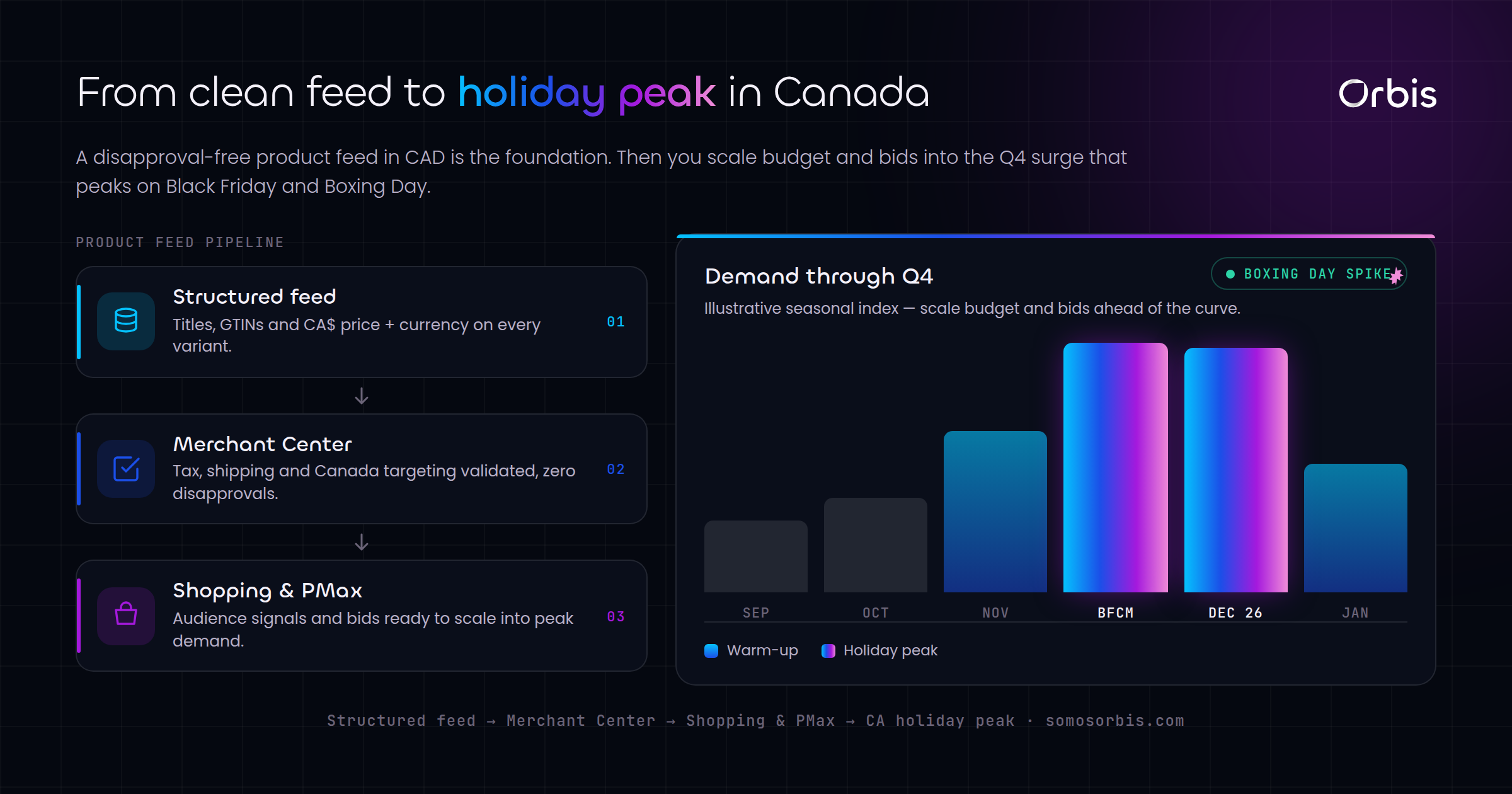
The Canadian holiday peak runs from the late-November Black Friday/Cyber Monday window straight through to Boxing Day and the days after. Unlike some markets, Canadian momentum does not stop on December 25 — Boxing Day and Boxing Week are a second surge of deal-driven demand. Plan for two waves, not one.
- October — prep: Audit the feed, clear every disapproval, lock in shipping cut-off dates, and pre-build your promotional assets and price drops in Merchant Center so they are ready to switch on.
- Black Friday / Cyber Monday: Raise budgets and loosen ROAS targets slightly to capture volume; competition and CPCs spike, so a feed that is already healthy gives you the efficiency edge.
- Mid-December: Communicate shipping deadlines clearly and shift emphasis toward in-stock, fast-ship products as cut-offs approach.
- Boxing Day and Boxing Week: Re-energize budgets for the post-Christmas deal hunters. Surface clearance and overstock with dedicated labels and aggressive pricing — this is prime margin-recovery territory.
Throughout these peaks, the retailers who stay calm are the ones whose feed hygiene and bidding rules were documented and built in advance. Competitors who improvise in December pay more for worse positions.
Measurement and the metrics that matter
Vanity metrics will mislead you in Shopping. Click volume and impression share feel reassuring but do not pay the bills. Anchor your reporting to outcomes:
- Return on ad spend (ROAS) by product segment, not just account-wide.
- Profit-aware ROAS: overlay margin so you are not celebrating revenue on items you barely make money on.
- Impression share lost (to rank and budget): tells you whether to fix bids/feed or simply add budget.
- Conversion rate by SKU: surfaces products with strong demand but poor pages or pricing.
- Click share vs price competitiveness: if you are losing clicks on a hero product, the Merchant Center price reports usually explain why.
Feed performance, pricing and bidding are a single system. When you tune them together — clean data feeding smart segmentation feeding margin-aware bids — Shopping becomes the most reliable revenue channel in a Canadian retailer's paid-media mix.
Make Google Shopping a revenue engine, not a cost centre
Winning Google Shopping in Canada comes down to operational discipline: a meticulously structured feed in CAD with correct tax and shipping, segmentation that protects your margins, and a bidding calendar built around back-to-school and the Boxing Day peak rather than imported from another market. Get those right and Shopping stops being a line of unpredictable spend and becomes a forecastable engine for growth.
If you want a feed and campaign architecture engineered for the Canadian market — with documented, repeatable processes that hold up through every peak — explore our Google Shopping management for Canadian retailers and let's build a program designed to compound revenue season after season.