
Your CRM says one thing. Your e-commerce platform says another. Your analytics dashboard tells a third story, and your finance team is reconciling all three in a spreadsheet at 11 p.m. the night before a board meeting. If that sounds familiar, you do not have a data problem. You have an integration problem. The tools are fine. The wiring between them is broken or, more often, missing entirely.
For US marketing teams running fast-moving calendars built around Black Friday, Cyber Monday, Amazon Prime Day, back-to-school, and tax season, the cost of disconnected systems is not abstract. It shows up as duplicate leads, delayed retargeting, mismatched inventory, and reporting that arrives a week too late to change a decision. This guide walks through how API and systems integrations actually work, where US teams should invest first, and what reliable, real-time data flow looks like when it is engineered properly rather than duct-taped together.
What an API integration actually is (and what it is not)
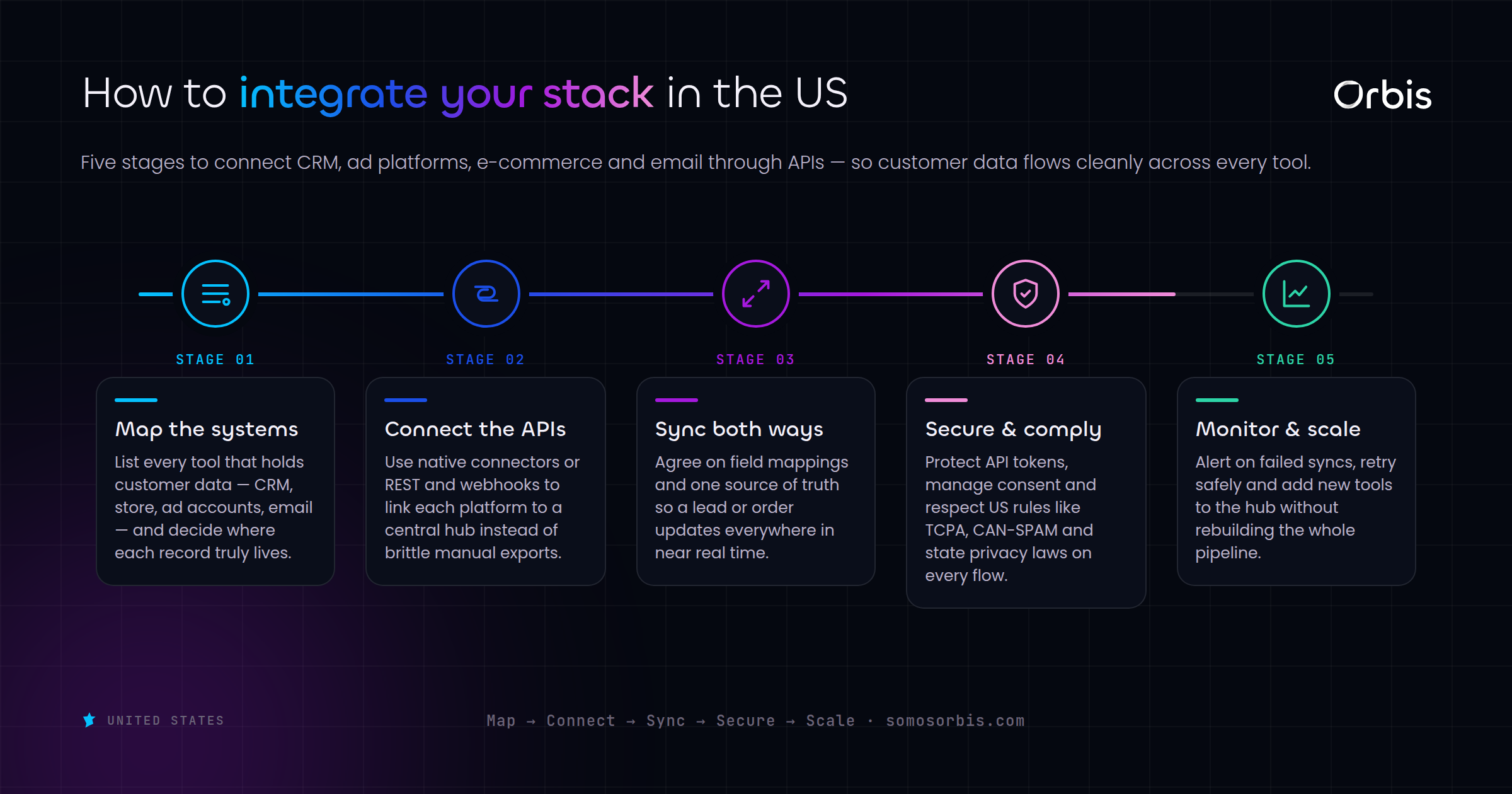
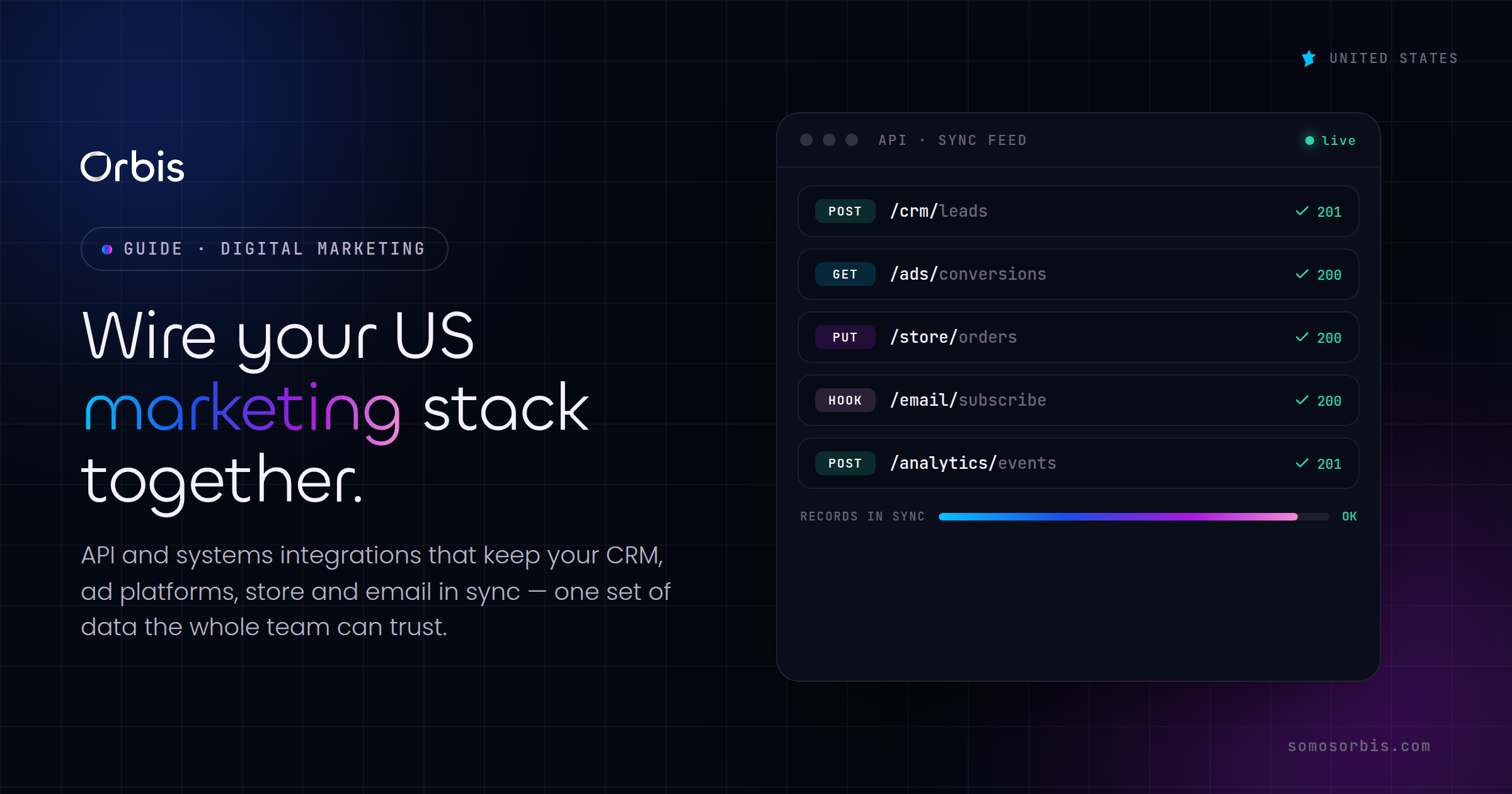
An API, or application programming interface, is the contract that lets two pieces of software talk to each other. When your Shopify store records a sale, it can push that event to your CRM, your email platform, your ad accounts, and your data warehouse the moment it happens. That is an integration: a defined, repeatable, automated handoff of data between systems.
What an integration is not: a Zapier task you set up once and forgot, a nightly CSV export someone emails around, or a junior team member copying numbers between tabs. Those are workarounds. They break silently, they introduce lag, and they fail exactly when volume spikes, which in the US means the weekend after Thanksgiving when your traffic triples and your manual process collapses.
There are a few patterns worth knowing by name, because they determine reliability:
- REST APIs are the most common. Your system asks another system for data, or sends it data, over standard web requests. Simple, well-documented, and what most marketing tools expose.
- Webhooks flip the direction. Instead of you polling a system every few minutes asking "anything new?", the system pushes an event to you the instant it happens. This is what makes real-time retargeting and abandoned-cart flows possible.
- Middleware and iPaaS tools sit between your apps and handle the translation, queuing, and error retries. Useful for standard connections, but they hit limits fast when your logic gets specific.
- Custom integrations are purpose-built connections written for your exact stack and business rules. More work upfront, far more durable when your needs do not fit an off-the-shelf connector.
The real cost of a disconnected marketing stack
Before we talk about what to build, it helps to be honest about what disconnection costs. Most teams underestimate it because the losses are diffuse rather than dramatic.
Wasted ad spend on people who already converted
If your e-commerce platform does not feed purchase events back to Meta, Google, and Pinterest in real time, you keep paying to show ads to people who already bought. During a Cyber Monday push for a Dallas-based apparel brand, even a few hours of lag means thousands of dollars served to converted buyers. Real-time conversion API connections fix this, and they also feed cleaner signal back to the ad platforms so their algorithms optimize toward actual revenue instead of stale events.
Leads that go cold because nobody routed them
A demo request from a Chicago prospect that lands in a form but takes six hours to reach a sales rep is a lead you are likely to lose. Speed-to-lead is one of the most studied levers in B2B, and integration is what makes it possible: form submission to CRM to assignment to notification, in seconds, automatically.
Reporting that cannot be trusted
When every tool reports its own numbers and nothing reconciles, leadership stops trusting the dashboards. Decisions get made on gut instead of data, or they get delayed while someone "checks the real number." A single integrated source of truth ends that argument.
Compliance exposure you did not plan for
US privacy expectations are tightening, and a customer who asks to opt out or be deleted expects that request to propagate everywhere. If your systems are not connected, an opt-out captured in one tool may never reach the others, leaving you marketing to someone who explicitly asked you to stop. Integrations are how a single privacy request reaches your CRM, your email platform, and your ad audiences at once, in line with current US privacy expectations.
The core integrations every US marketing team needs
You do not need to connect everything to everything. You need the connections that move money and protect data. Here is the priority order we recommend for most US teams.
1. E-commerce platform to ad platforms
Connect Shopify, WooCommerce, or your custom store to Meta, Google Ads, and Pinterest using their conversion APIs. This sends purchase, add-to-cart, and lead events server-side, which is more durable than browser pixels alone and gives the ad algorithms the clean signal they need. For a Miami DTC brand running heavy Prime Day promotions, this single integration often produces the biggest measurable lift.
2. Store and forms to CRM
Every lead, every order, and every customer profile should flow into one CRM automatically. No manual entry, no exports. This is the backbone that makes segmentation, lifecycle marketing, and accurate attribution possible. It is also the foundation that marketing and sales automation for US revenue teams depends on, because automation can only act on data it can actually see.
3. CRM to email and messaging
Your CRM and your email or SMS platform should share the same customer state. When someone buys, they should drop out of the abandoned-cart sequence instantly. When someone opts out, that should sync everywhere. Bidirectional sync here prevents the embarrassing experience of emailing a customer about a product they already returned.
4. Everything to a data warehouse
Pipe events from all systems into a central warehouse so your analytics and reporting draw from one consistent source. This is what turns "each tool says something different" into a single trustworthy dashboard your New York leadership team can act on the same morning a campaign launches.
5. Inventory and fulfillment to marketing
For retailers, connecting inventory to your ad and email systems prevents the worst seasonal mistake: spending hard during Black Friday to drive traffic to a product that sold out an hour ago. When stock levels feed your campaigns, you pause ads and swap creative automatically.
How to think about build versus buy
Not every connection justifies custom engineering. The honest answer for most teams is a mix. Here is a simple way to decide.
- Use a standard connector or iPaaS when the integration is common, the data is simple, the volume is moderate, and the off-the-shelf logic matches what you need. Connecting a form tool to a popular CRM is usually solved.
- Build a custom integration when your business rules are specific, your volume is high, you need real-time reliability during seasonal spikes, or you are joining systems that no pre-built connector supports. Bilingual EN/ES customer records that need consistent field mapping across tools, for example, often justify custom work so nothing gets mangled in translation between systems.
The trap to avoid is treating a high-stakes, high-volume connection as if it were trivial. The connector that works fine in March can buckle under Cyber Monday load, and discovering that on the busiest revenue day of your year is the most expensive way to learn the lesson.
What reliable looks like: the parts most teams skip
Plenty of teams can make two systems talk once. Far fewer build integrations that keep working under pressure. The difference is in the unglamorous engineering details.
Error handling and retries
APIs fail. Networks drop. A well-built integration expects this and retries gracefully instead of silently losing data. When a purchase event fails to reach your ad platform, it should queue and resend, not vanish.
Idempotency
If the same event gets sent twice because of a retry, your systems should not count two sales. Proper integrations are designed so duplicate messages do not create duplicate records.
Rate-limit awareness
Every API caps how many requests you can make in a window. During a Los Angeles flash sale, naive integrations slam into those limits and start dropping data. Robust ones throttle and queue intelligently.
Monitoring and alerting
You should know within minutes if a connection breaks, not discover it a week later when a report looks wrong. Real integrations include health checks and alerts so a failure becomes a quick fix instead of a silent month of lost data.
Privacy and consent propagation
Consent state and deletion requests must travel with the customer record across every connected system. This is not optional in the current US environment, and it is far easier to build in from the start than to retrofit later.
The point of an integration is not to move data once. It is to keep moving the right data, reliably, on your worst traffic day, without anyone watching it.
A practical rollout sequence
You cannot integrate everything at once, and you should not try. Here is a sequence that delivers value early and reduces risk.
- Step one: Map your stack. List every tool, what data it holds, and where that data needs to go. Most teams discover redundant tools and obvious gaps in this exercise alone.
- Step two: Fix the revenue-critical path first. Usually that is e-commerce to ad platforms and forms to CRM. These pay for themselves fastest.
- Step three: Establish the source of truth. Decide which system owns customer identity, then make every other system defer to it.
- Step four: Add the warehouse and reporting layer so leadership gets one dashboard.
- Step five: Layer in monitoring, then expand to secondary integrations like inventory, support, and finance.
Time the heavy work to your calendar. Building and testing integrations in the quiet weeks of late summer is smart. Rewiring your stack the week before back-to-school or in the middle of the Q4 holiday rush is not.
Where integrations fit in your broader tech roadmap
API integrations are not a standalone project. They are the connective tissue of a well-implemented marketing technology stack, which is exactly why they reward planning. If you are stepping back to look at the whole picture, our pillar guide to marketing tech implementations for US teams in 2026 lays out how CRM, automation, chatbots, and integrations fit together as one system rather than a pile of disconnected tools. Read that for the strategy, and treat this article as the deeper dive on the wiring that holds it together.
The teams that win the US calendar are not the ones with the most tools. They are the ones whose tools agree with each other in real time, so a sale in Houston, a lead in New York, and an opt-out in Chicago all register everywhere they need to, instantly and correctly.
Build integrations that hold up when it counts
Disconnected systems are quietly expensive every day and catastrophically expensive on your biggest revenue days. The fix is not another tool. It is engineering the reliable, monitored, privacy-aware connections that keep your data flowing in real time, designed and documented as quality processes rather than improvised under pressure.
This is exactly the kind of work Orbis was built for: a Google Partner team with 4.9 stars across 58 reviews, more than 500 clients, and over 15 years connecting marketing stacks for businesses across the US. If your CRM, e-commerce, and analytics are not talking to each other the way they should, let us engineer the connections that make your data trustworthy. Explore our systems and API integrations service and tell us where your stack is leaking.