
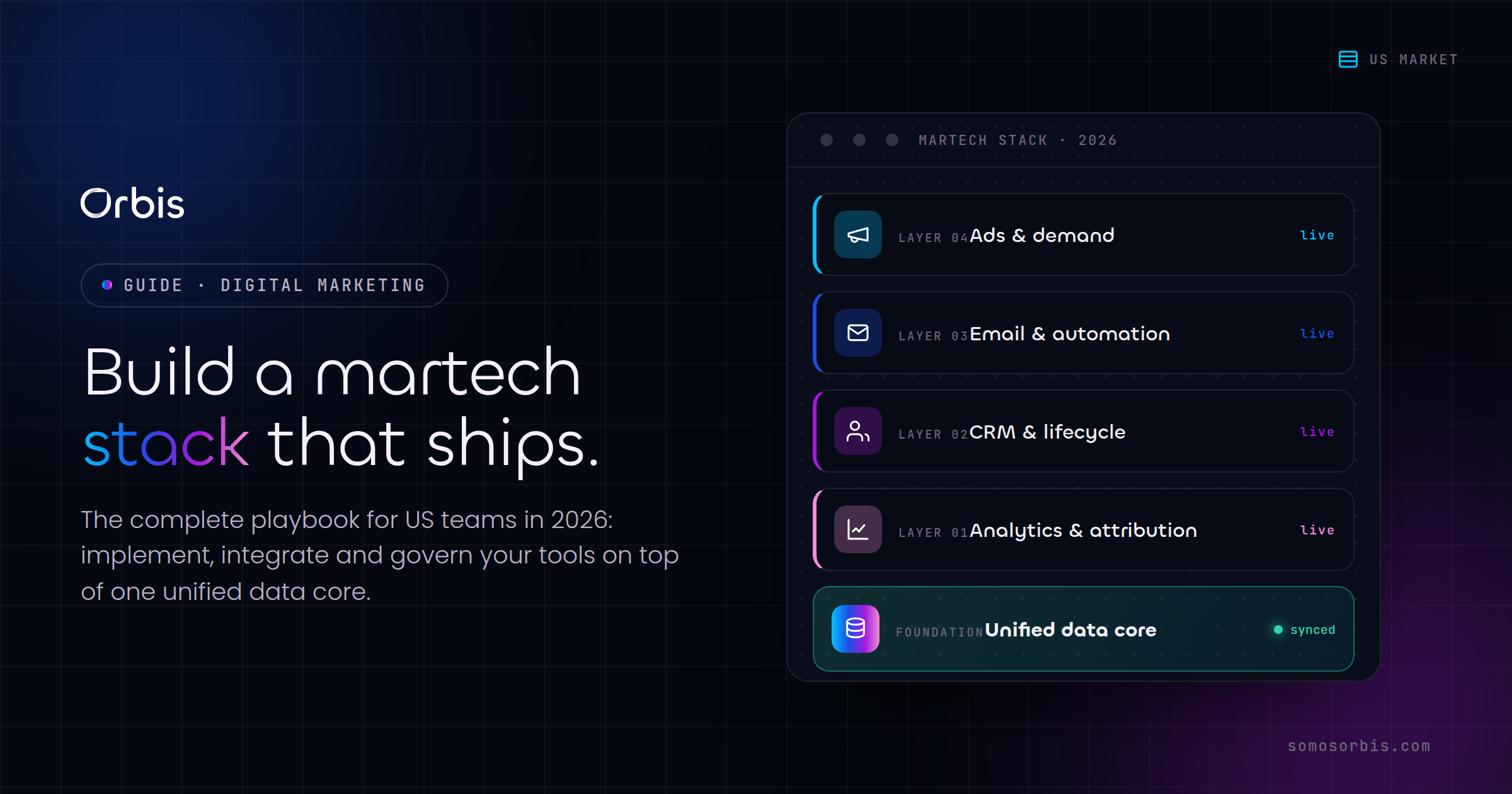
Most US revenue teams do not have a tooling problem. They have an implementation problem. You can buy the best CRM on the market, license three automation platforms, and wire up a chatbot in an afternoon, and still watch deals leak, leads sit cold, and reporting contradict itself across departments. The gap is rarely the software. It is how the software was implemented, governed, and connected to the way your team actually sells.
This guide is built for marketing and revenue operations teams in the United States that are done experimenting and ready to operationalize. Whether you run a multi-location retailer in Dallas, a SaaS company in New York, a real estate brokerage in Miami, or a professional services firm in Chicago, the principles are the same: define the revenue process first, choose tools that fit it, implement with documented processes, and treat customer data as a liability you are accountable for under CCPA and CPRA. We will walk through CRMs, chatbots, marketing and sales automation, and API integrations, with concrete US examples and a privacy-conscious approach baked into every layer.
If you want a partner to execute any of this, Orbis runs marketing technology implementations end to end, from discovery to documented handoff. But even if you build it in-house, this is the playbook we use.
Why marketing tech implementations fail in the US (and how to avoid it)
Before we get into specific platforms, it is worth naming why so many stacks underperform. After fifteen years implementing technology for more than 500 clients, the failure patterns are remarkably consistent. They are almost never about a missing feature.
1. Tools were chosen before the process was defined
A company picks a CRM because a competitor uses it, or because a slick demo promised AI scoring, and then tries to bend its sales motion to fit the tool. This is backwards. The revenue process — how a lead enters, how it is qualified, who owns each stage, what triggers a handoff — has to be documented first. The tool is then selected to support that process, not to invent one. Documented processes are the foundation of every implementation that survives its first quarter.
2. Nobody owns the data model
In a healthy stack, every contact, account, deal, and activity has a clear definition and a single source of truth. In an unhealthy one, the marketing team's "MQL" means something different from what sales calls a "lead," the same customer exists three times with slightly different spellings, and nobody can answer a simple question like "how many active customers do we have in Texas?" without a debate. A clean, governed data model is the difference between automation that compounds value and automation that compounds chaos.
3. Privacy was treated as an afterthought
If you serve customers in California, and most US businesses do, CCPA and its successor CPRA shape how you can collect, store, share, and delete personal information. Bolting privacy controls on after launch is expensive and risky. The right approach is compliance by design: build consent, data minimization, and deletion workflows into the implementation from day one. We cover this in depth in our dedicated guide on CRM data privacy under CCPA and CPRA for US marketers, and we will return to it throughout this article.
4. The implementation had no documented handoff
A consultant configures everything, leaves, and six months later nobody on your team knows why a particular automation fires or how to add a new pipeline stage without breaking reporting. Every implementation should ship with documentation: field dictionaries, automation maps, integration diagrams, and runbooks. This is what we mean by engineering revenue operations rather than just installing software.
The best marketing stack is not the one with the most tools. It is the one your team can operate, explain, and trust six months after launch.
Step one: map your US revenue process before you touch a tool
Every successful implementation starts with a process map, not a software login. Spend the first week documenting how revenue actually moves through your business today, then how you want it to move tomorrow.
Concretely, document the following:
- Lead sources and entry points. Paid search, organic, referrals, events, inbound forms, phone calls, walk-ins. For a US retailer, this includes seasonal spikes around Black Friday and Cyber Monday, back-to-school, and tax season refunds. Map where each lead type enters and what data you capture at entry.
- Qualification criteria. What makes a lead a real opportunity? Budget, geography, company size, intent signals. Write the rules down so a machine can eventually apply them consistently.
- Pipeline stages and ownership. Define each stage, the exit criteria to advance, and the single person or role accountable for moving a deal forward. Ambiguity here is where deals die.
- Handoffs. When does marketing pass a lead to sales? When does sales pass a closed deal to onboarding or fulfillment? Each handoff needs a trigger and an owner.
- Reporting needs. What does leadership need to see weekly? Pipeline by region, conversion by source, revenue forecast, customer acquisition cost. Knowing the outputs tells you what fields you must capture.
Only after this map exists should you evaluate tools. The map becomes your requirements document, your configuration blueprint, and the test you measure the finished implementation against.
CRM implementation: the system of record for US revenue
The CRM is the center of gravity for your entire stack. It is where every contact, deal, and interaction lives, and it is the source most other tools read from and write to. Getting the CRM implementation right makes everything downstream easier. Getting it wrong means you are automating bad data forever.
Choosing the right CRM for your US team
There is no universally best CRM, only the best fit for your process, team size, and budget in USD. Two platforms we implement frequently for US teams illustrate the range of options.
Kommo is a strong fit for sales teams that live in messaging — WhatsApp, Instagram, Facebook Messenger, SMS — and want a visual, pipeline-first interface that salespeople actually adopt. It is particularly effective for businesses reaching the large US Hispanic market, where bilingual EN/ES conversations across messaging channels drive a meaningful share of revenue. If your sales motion is conversational and high-volume, Kommo's chat-centric design reduces friction. We break down the full process in our guide to Kommo CRM implementation for US SMBs, and you can engage our team directly for a Kommo implementation.
Bitrix24 is a fit for teams that want CRM plus a broader operational suite — tasks, projects, internal collaboration, telephony — under one roof. For a growing services firm in Houston or a multi-department operation that wants to consolidate tools, Bitrix24's breadth can reduce vendor sprawl. The tradeoff is that breadth requires disciplined configuration so the platform does not overwhelm users. Our walkthrough of Bitrix24 implementation for US teams covers the setup decisions that matter.
The decision should fall out of your process map. If your map shows messaging-driven, conversational selling, lean Kommo. If it shows multi-department coordination needs, evaluate Bitrix24. If you are unsure, that uncertainty usually means the process map is not detailed enough yet.
The CRM implementation checklist
Regardless of platform, a sound CRM implementation follows the same sequence:
- Define the data model. Standardize contact, company, and deal fields. Decide which fields are required, which are picklists with controlled values, and which feed reporting. Controlled picklists for things like US state, lead source, and industry prevent the dirty-data problems that kill reporting.
- Migrate and deduplicate. Importing your existing data is where most implementations either build a clean foundation or import years of mess. Deduplicate, standardize formatting (phone numbers, state abbreviations, company names), and validate before go-live.
- Build the pipeline. Configure stages exactly as your process map defines them, with required fields gating each stage advance so reps cannot skip qualification.
- Set permissions and visibility. Decide who can see and edit what. This is also a privacy control: limiting access to personal data is part of compliant data handling under US privacy norms.
- Configure consent and deletion fields. Capture marketing consent status and build the workflow to honor deletion and opt-out requests. Under CPRA, you need to be able to find and delete a person's data on request, and your CRM is where that lives.
- Document everything. Ship a field dictionary and a configuration runbook so your team can operate and extend the system.
A CRM implemented this way becomes an asset that appreciates. Every clean record makes the next automation and the next report more reliable.
Chatbots: scaling US customer service and lead capture
Chatbots have matured from frustrating phone-tree-in-text-form interfaces into genuinely useful tools for lead qualification, customer service deflection, and after-hours coverage. For US businesses operating across time zones from Miami to Los Angeles, a well-built chatbot answers questions and captures leads when no human is online.
What chatbots should actually do
The mistake is asking a chatbot to do everything. The win is using it for a few high-value jobs:
- Qualify inbound leads. A chatbot can ask the qualifying questions from your process map — budget, location, timeline — and route hot leads straight into the CRM with the right tags, while filtering out non-fits.
- Deflect repetitive support questions. Hours, pricing, order status, return policy. A chatbot handling the top twenty questions frees your team for conversations that need a human.
- Provide bilingual coverage. For US businesses serving Hispanic customers, a chatbot that detects and responds in Spanish or English removes a real barrier. EN/ES support at the first touch can lift conversion meaningfully.
- Capture leads after hours. A lead landing on your site at 11 PM during a Cyber Monday surge will not wait until morning. A chatbot captures the contact, answers the urgent question, and books the follow-up.
Implementing chatbots without breaking trust
Two principles keep chatbot implementations from backfiring. First, always offer a clear path to a human; nothing erodes trust faster than a bot that traps users in a loop. Second, handle data responsibly — a chatbot collects personal information, so consent language and data handling have to meet the same CCPA and CPRA standards as the rest of your stack. The chatbot must write to your CRM in a way that respects consent flags and is included in any deletion request workflow.
For the full playbook on scoping, building, and connecting bots, see our guide to chatbots for US customer service. The key takeaway: a chatbot is only as good as its integration with the CRM behind it. A bot that captures leads into a black hole is theater. A bot that routes qualified, consented leads into your pipeline with full context is leverage.
Marketing and sales automation: the engine of revenue
This is where implementations either compound value or compound problems. Automation takes your documented process and runs it consistently, at scale, without a human remembering to do each step. Done well, it is the single highest-leverage layer in your stack. Done on top of a messy data model, it just makes the mess faster.
What to automate first
Resist the urge to automate everything at once. Sequence it by leverage:
- Lead routing and assignment. The moment a lead enters, automation should score it against your qualification rules, assign it to the right rep by territory or specialty, and start the clock on response time. Speed-to-lead is one of the most reliable predictors of conversion in the US market.
- Nurture sequences. Not every lead is ready to buy today. Automated, behavior-triggered email sequences keep your brand present until the timing is right, without manual effort. Tie sequences to US seasonality — a back-to-school nurture, a tax-season offer, a Black Friday warm-up.
- Internal alerts and tasks. Automation should create the follow-up task, notify the rep when a deal goes stale, and flag deals that need manager attention. This is how nothing falls through the cracks.
- Lifecycle and retention. Onboarding sequences, renewal reminders, and win-back campaigns for lapsed customers. Retention automation is often the highest-ROI work because it protects revenue you already earned.
The automation governance layer
Every automation you build is a small program that runs without supervision. Without governance, you end up with conflicting rules, contacts receiving duplicate messages, and nobody able to explain why a given email fired. Governance means:
- An automation map. A single document showing every active automation, its trigger, its action, and its owner. When something misfires, you can find it in minutes instead of hours.
- Frequency caps and exclusions. Rules that prevent over-messaging and respect opt-outs and consent status globally, not per-campaign.
- Privacy-aware triggers. Automation must respect consent. A contact who opted out of marketing should be excluded from marketing sequences automatically, and a deletion request should halt all automation touching that record.
- Testing before launch. Every automation tested with sample data before it touches real customers.
This is the difference between automation as an asset and automation as a liability. Our deep dive on marketing and sales automation for US revenue covers the build and governance in detail, and our team delivers it as a service through marketing and sales automation implementations.
API integrations: connecting your US marketing stack
No single tool does everything, and that is fine. The power of a modern stack comes from integration — your CRM, your ad platforms, your e-commerce system, your email tool, and your analytics all sharing data so that each is smarter for what the others know. The danger is that poorly built integrations become the most fragile part of your stack, breaking silently and corrupting data across systems.
Common US integration patterns
The integrations that drive the most value for US revenue teams tend to be these:
- Ad platforms to CRM. Pushing conversion and revenue data from your CRM back to ad platforms so your campaigns optimize toward actual revenue, not just form fills. This single integration often transforms ad efficiency.
- E-commerce to CRM. Syncing orders, customer lifetime value, and product history so sales and marketing see the full customer picture. Essential for retailers managing Black Friday and Prime Day volume.
- Forms and landing pages to CRM. Every lead captured anywhere lands in the CRM with source attribution and consent status intact.
- Payment and billing to CRM. Knowing who paid, who is past due, and who is up for renewal, all reflected in the customer record.
- Analytics and reporting. Unifying data so leadership sees one consistent set of numbers instead of three tools disagreeing.
Building integrations that do not break
Reliable integrations share a few traits. They handle errors gracefully and alert someone when a sync fails, rather than failing silently. They respect the data model — mapping fields cleanly so a "state" in one system matches a "state" in another. They are documented with an integration diagram showing what flows where. And critically, they carry consent and privacy metadata across systems, so a deletion request honored in your CRM propagates to connected platforms rather than leaving orphaned copies of personal data elsewhere.
That last point is where many US stacks quietly fall out of compliance. If a customer's data exists in five connected systems and a deletion request only clears the CRM, you still hold their data in four places. A well-architected integration layer treats deletion and consent as events that propagate everywhere. For the technical and governance details, see our guide to API integrations for US marketing stacks.
Privacy by design: CCPA and CPRA across the whole stack
Privacy is not a single tool or a checkbox. It is a property of the entire implementation, and it deserves its own section because it touches every layer above. For US teams, California's framework sets a high bar that, in practice, becomes the standard you build to nationwide because it is simpler to apply one strong standard than to maintain different rules per state.
Compliance by design means:
- Data minimization. Collect only what you need for the documented process. Every extra field is extra risk.
- Consent capture and tracking. Record how and when each contact consented to marketing, and respect that status everywhere automatically.
- Access and deletion workflows. Build the ability to find, export, and delete a person's data across your CRM and all connected systems, so you can honor requests within required timeframes.
- Access controls. Limit who can see personal data based on role. Fewer people with access is less risk.
- Vendor diligence. Every tool that touches customer data is part of your privacy posture. Choose platforms with credible data handling and processing terms.
Treating privacy as an engineering requirement rather than a legal afterthought protects your customers, your brand, and your ability to operate. It also builds trust, which in a competitive US market is a real advantage. Our complete treatment lives in CRM data privacy under CCPA and CPRA for US marketers.
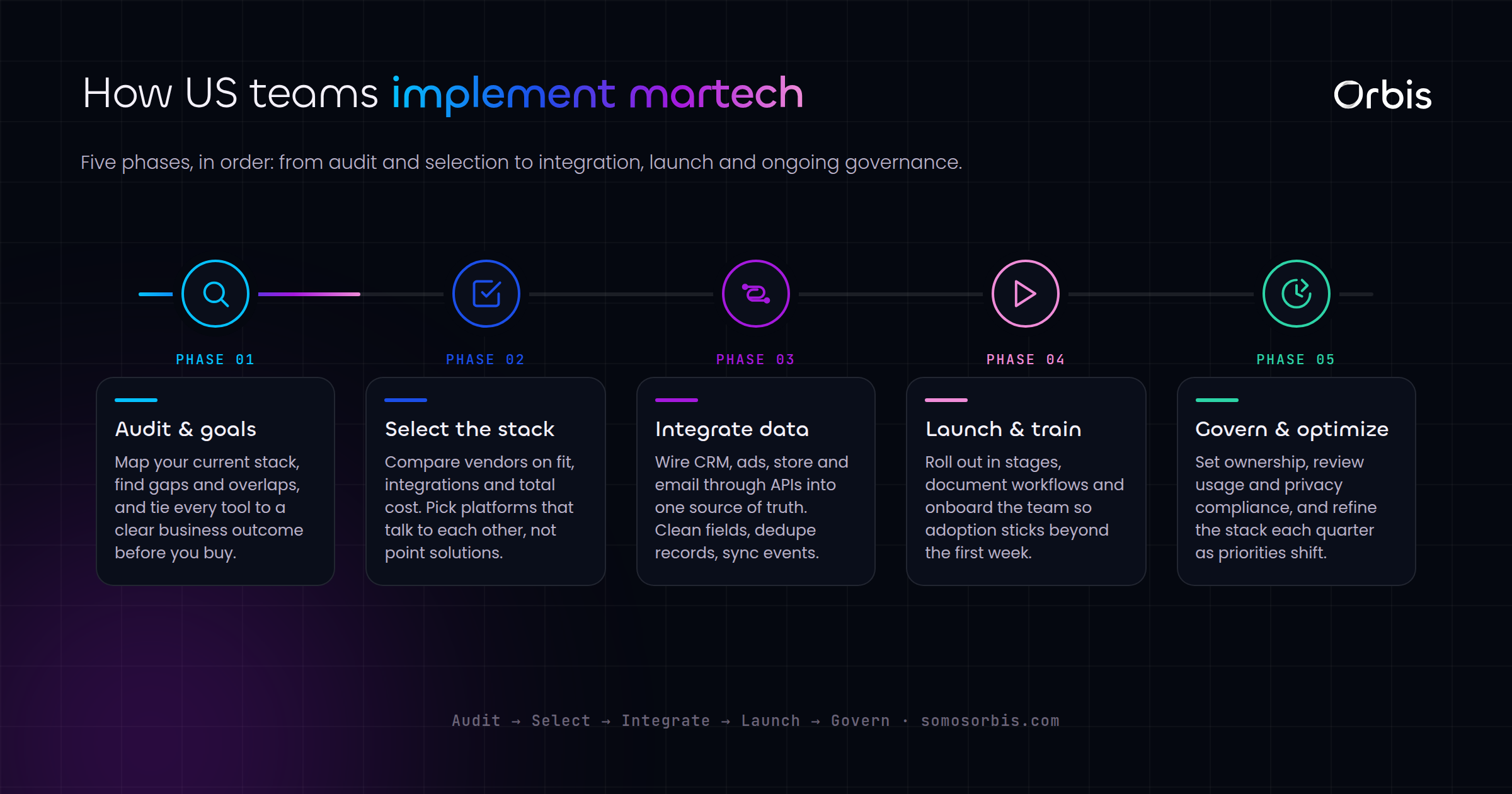
A practical 90-day implementation roadmap
Here is how the pieces sequence in a real US rollout. Compressing this timeline usually means skipping the foundation work and paying for it later.
Days 1 to 30: foundation
- Document the revenue process and data model.
- Select the CRM that fits the process.
- Define privacy requirements and consent fields up front.
- Clean and prepare data for migration.
Days 31 to 60: core build
- Implement and configure the CRM, migrate clean data.
- Build the pipeline, permissions, and reporting.
- Stand up the first high-leverage automations — lead routing and the core nurture sequence.
- Deploy a chatbot scoped to lead qualification and top support questions.
Days 61 to 90: integration and scale
- Connect ad platforms, e-commerce, forms, and analytics via documented integrations.
- Layer in lifecycle and retention automation.
- Validate that consent and deletion propagate across all connected systems.
- Deliver documentation and train the team for handoff.
By day 90 you have a stack that is documented, governed, privacy-conscious, and operated by your own team with confidence. That is the difference between buying software and engineering revenue operations.
Related guides
This pillar connects to a full set of deeper, focused guides. Use them to go deep on whichever layer you are implementing next:
- Kommo CRM implementation for US SMBs
- Bitrix24 implementation for US teams
- Chatbots for US customer service
- Marketing and sales automation for US revenue
- API integrations for US marketing stacks
- CRM data privacy under CCPA and CPRA for US marketers
Build a stack your team can actually operate
Marketing technology only pays off when it is implemented with a documented process, a clean data model, governed automation, reliable integrations, and privacy built in from day one. The tools are commodities. The implementation is the competitive advantage. A stack that your team understands, trusts, and can extend is worth more than any feature list.
Orbis is a Google Partner with a 4.9-star rating across 58 reviews, more than 500 clients served, and over 15 years of experience implementing revenue technology, with partnerships across Meta, Shopify, Kommo, Zapier, Pinterest, and Spotify. If you want a team that engineers your stack to scale US revenue with quality processes and compliant data handling, explore our marketing technology implementation services and let us help you build something your team can run with confidence.