
Most US sales teams do not have a tooling problem. They have a wiring problem. Reps in New York work leads in one inbox, the Dallas office tracks deals in a spreadsheet, and the operations team in Los Angeles reconciles it all on Friday afternoon with a lot of copy-paste and a little hope. Bitrix24 fixes that by putting CRM, telephony, tasks, and team collaboration on one platform, so a lead captured in Miami at 9 a.m. is visible, assigned, and being worked before lunch.
But Bitrix24 is broad. It can run your CRM, your project management, your internal chat, your call center, and your customer portal all at once. That breadth is exactly why a sloppy rollout fails: teams turn on everything, configure nothing well, and abandon it within a quarter. This guide walks through how to implement Bitrix24 for US teams the right way, with the pipelines, telephony, automation, and privacy guardrails that distributed US sales and operations groups actually need.
Why US Teams Choose Bitrix24
The US market rewards speed and punishes friction. Buyers expect a callback in minutes, a quote the same day, and a rep who already knows their history. Bitrix24 is well suited to that because it consolidates the moving parts that usually live in separate tools:
- CRM with visual pipelines so a Chicago manager can see exactly where every deal sits without asking.
- Built-in telephony and call recording so a click-to-dial call from Houston is logged against the right contact automatically.
- Tasks and projects that connect a closed deal to the onboarding work that follows it.
- Collaboration tools (chat, video, shared drive) that keep a team spread across four time zones aligned.
- Generous free and flat-rate tiers that scale without a per-seat tax punishing you for adding a back-office team.
For a growing US business juggling Black Friday and Cyber Monday demand spikes, Amazon Prime Day campaigns, and a back-to-school season that hits operations hard, that single-platform model removes a real source of dropped balls. It is also why Bitrix24 sits alongside other CRMs we deploy. If you are weighing options before you commit, our walkthrough of Kommo CRM implementation for US SMBs covers a lighter, sales-first alternative that suits smaller teams who do not need Bitrix24's full operations suite.
Before You Configure Anything: Map the Revenue Process
The most expensive Bitrix24 mistakes happen before anyone touches the software. Teams import 40,000 contacts, switch on every module, and then wonder why adoption stalls. The fix is to document how revenue actually moves through your business first.
Define your real pipeline stages
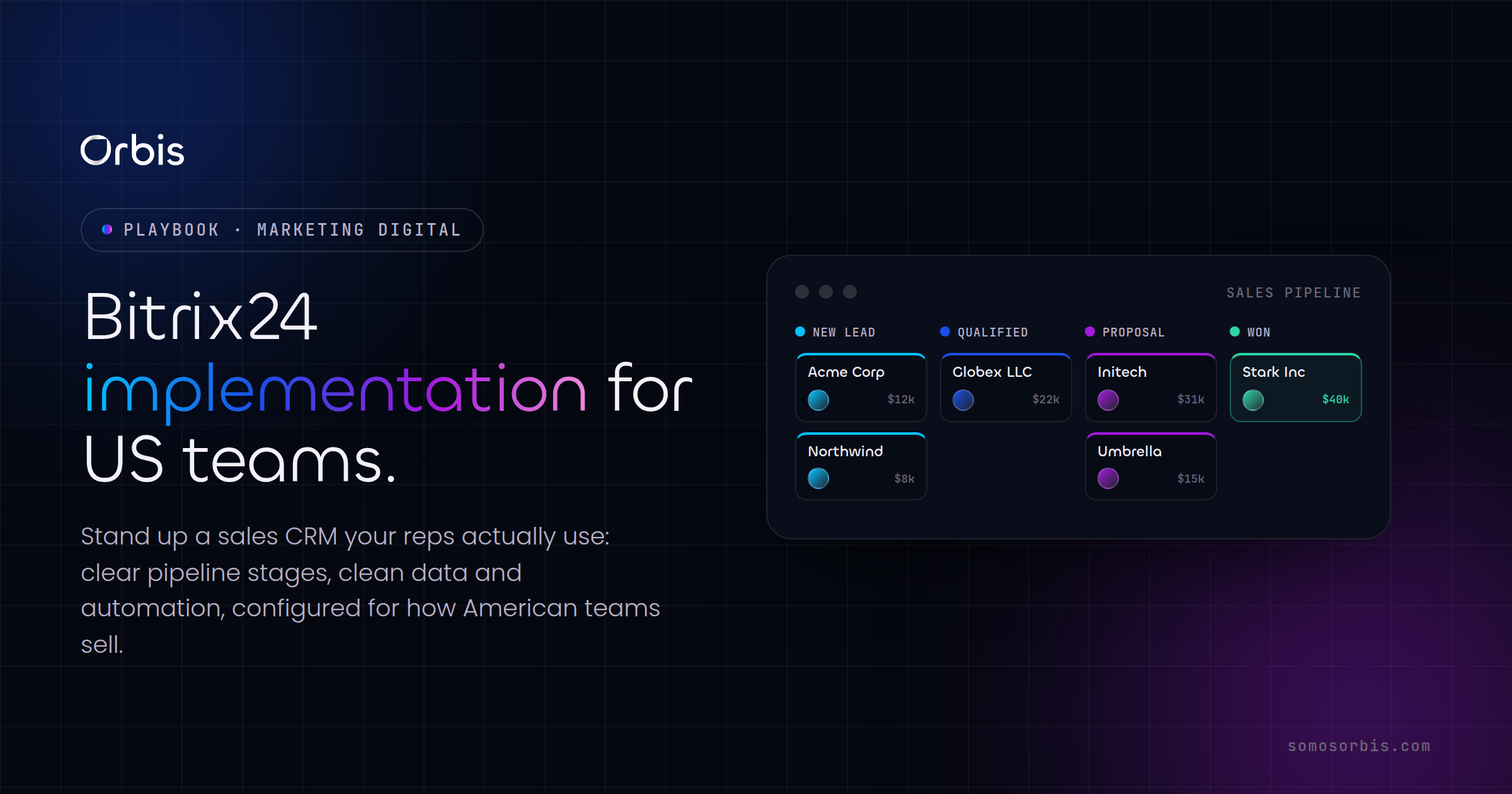
Do not copy a generic template. Sit with your reps in New York and Dallas and write down the stages a deal genuinely passes through. A US B2B services team might use: New Lead, Qualified, Demo Scheduled, Proposal Sent, Verbal Yes, Closed Won, Closed Lost. An ecommerce-adjacent operation gearing up for the holidays might add a Quote Expired stage so abandoned carts do not vanish. The rule: every stage should describe a clear change in buyer commitment, not an internal task.
Decide what "qualified" means
Ambiguous qualification is where US pipelines bloat with dead deals. Agree on a written definition (budget confirmed, decision-maker identified, timeline within 90 days) and build it into a required field so a rep cannot advance a deal without it. This single discipline keeps forecasts honest when leadership in Chicago asks what is really going to close this quarter.
Separate leads from deals
Bitrix24 lets you work in a "simple" CRM mode (deals only) or a "classic" mode with a distinct lead stage. High-volume US teams generating inbound from Prime Day or paid campaigns usually want the lead stage, so unvetted contacts get scrubbed before they pollute the real pipeline. Smaller, referral-driven shops often skip it. Choose deliberately.
Building Your Pipelines the Right Way
With the process mapped, configuration becomes straightforward. A few practices separate a pipeline US managers trust from one they quietly ignore:
- Use multiple pipelines, not one mega-funnel. Sales, renewals, and onboarding each deserve their own pipeline. A Miami account manager should never have to scroll past 200 new leads to find the three renewals due this week.
- Add custom fields that match US reality. State, time zone, preferred language (English or Spanish), and lead source belong on every record. Time zone alone prevents a Los Angeles rep from calling a New York prospect at 6 a.m. their time.
- Set automation rules per stage. When a deal hits "Proposal Sent," Bitrix24 can auto-create a follow-up task for two business days later, notify the manager, and start a countdown. No deal goes cold because someone forgot.
- Make the kanban view the source of truth. If reps still keep a side spreadsheet, your fields are wrong. Fix the fields until the board is genuinely easier than the spreadsheet.
This is where Bitrix24's automation engine earns its keep. Rules and triggers let you encode your playbook so the system enforces it. That same automation thinking applies across your whole stack, which is why we treat CRM as one layer in a larger connected system rather than an island.
Telephony: The Feature US Teams Underuse
Bitrix24's built-in telephony is one of its strongest US advantages, and it is consistently the most under-configured. Done right, it turns the phone from an untracked black hole into a measurable, automated channel.
Click-to-dial and automatic logging
Connect a US phone number (rent one through Bitrix24 or bring your own SIP trunk) and every call becomes a click from the contact record. The call is recorded, transcribed, and logged automatically against the right deal. A Houston rep who made nine calls before noon no longer has to remember and type any of them.
Routing for distributed offices
Set up call queues and rules so an inbound call routes to the right team based on time zone or topic. A morning call can ring the East Coast queue first; an afternoon call can roll to the West Coast team. For a US Hispanic audience, you can route Spanish-language inquiries to bilingual reps automatically, so a Spanish-speaking customer in Miami or LA reaches someone who can serve them in their language from the first hello.
Call analytics that managers act on
Because every call is logged, managers get real metrics: calls per rep, talk time, missed-call rate, and conversion by source. A Dallas sales lead can finally answer "are we calling our Prime Day leads fast enough?" with a number instead of a guess.
The teams that win with Bitrix24 telephony are the ones who treat the phone as a tracked, automated channel from day one. The teams that struggle are the ones who bolt it on six months later and never trust the data.
Connecting Bitrix24 to the Rest of Your Stack
Bitrix24 should not be a silo. Most US teams run it alongside an ecommerce platform, an email tool, a marketing automation layer, and a finance system. The implementation is only finished when those systems talk to each other:
- Website forms to CRM: capture every inbound lead directly into the lead stage, tagged by campaign, so your back-to-school landing page and your Cyber Monday offer are tracked separately.
- Ecommerce to CRM: push orders and customer data in so a support rep sees purchase history before they pick up the phone.
- Email and marketing automation: sync so nurture sequences fire based on pipeline stage, not a disconnected list.
- Calendar and meetings: two-way sync so a demo booked in Bitrix24 lands on the rep's Google or Outlook calendar instantly.
Getting these integrations right is the difference between a CRM that reflects reality and one that drifts out of date within weeks. Bitrix24 implementation is one chapter of a broader marketing technology rollout, and we cover the full picture, including sequencing, data hygiene, and team enablement, in our pillar resource, The Complete Guide to Marketing Tech Implementations for US Teams in 2026. If you are building or rationalizing a stack, start there and use this Bitrix24 guide as the deep dive on the CRM layer.
Privacy and Compliance for US Implementations
A CRM is a giant store of personal data, and US privacy expectations have tightened. California's privacy rules in particular shape how consumer data must be handled, and similar standards are spreading state by state. You do not need to become a lawyer, but your Bitrix24 build should respect a few principles by design:
- Capture consent and source. Record where each contact came from and whether they opted in, so you can honor preferences and prove it later.
- Honor deletion and access requests. Build a documented process for finding and removing a contact's data on request, including from call recordings and chat logs.
- Limit access by role. A Miami rep does not need to see the entire national database. Bitrix24's permission settings let you scope visibility so personal data is only seen by those who need it.
- Set retention rules. Decide how long you keep dead leads and old recordings, then enforce it, rather than hoarding personal data indefinitely.
These are quality-process habits more than legal acrobatics, and baking them into the configuration from the start is far cheaper than retrofitting them after a complaint. Compliance by design is part of how we approach every implementation, not an afterthought bolted on at the end.
Driving Adoption Across Distributed US Offices
The best-configured Bitrix24 in the world fails if reps in New York, Chicago, and LA do not use it. Adoption is a people problem, and it is the one most rollouts neglect.
Train by role, not by feature
Do not run a two-hour "here is every button" webinar. Train the sales team on the three things they do daily: log a call, advance a deal, complete a follow-up task. Train operations on their workflow. Short, role-specific sessions stick; feature tours do not.
Make data entry nearly free
Every required field a rep has to fill is a tax on adoption. Automate everything you can: call logging, email capture, and stage timestamps should happen without a human typing. Reserve manual entry for the handful of fields that genuinely change the deal.
Measure and celebrate usage early
In the first 30 days, watch login rates and deal activity by office. A Dallas manager who sees adoption lagging can intervene before the team reverts to spreadsheets. Recognize the reps who keep their pipeline clean; behavior that gets noticed gets repeated.
A Realistic Implementation Timeline
A focused Bitrix24 rollout for a US team does not take six months. With a clear scope, a typical path looks like this:
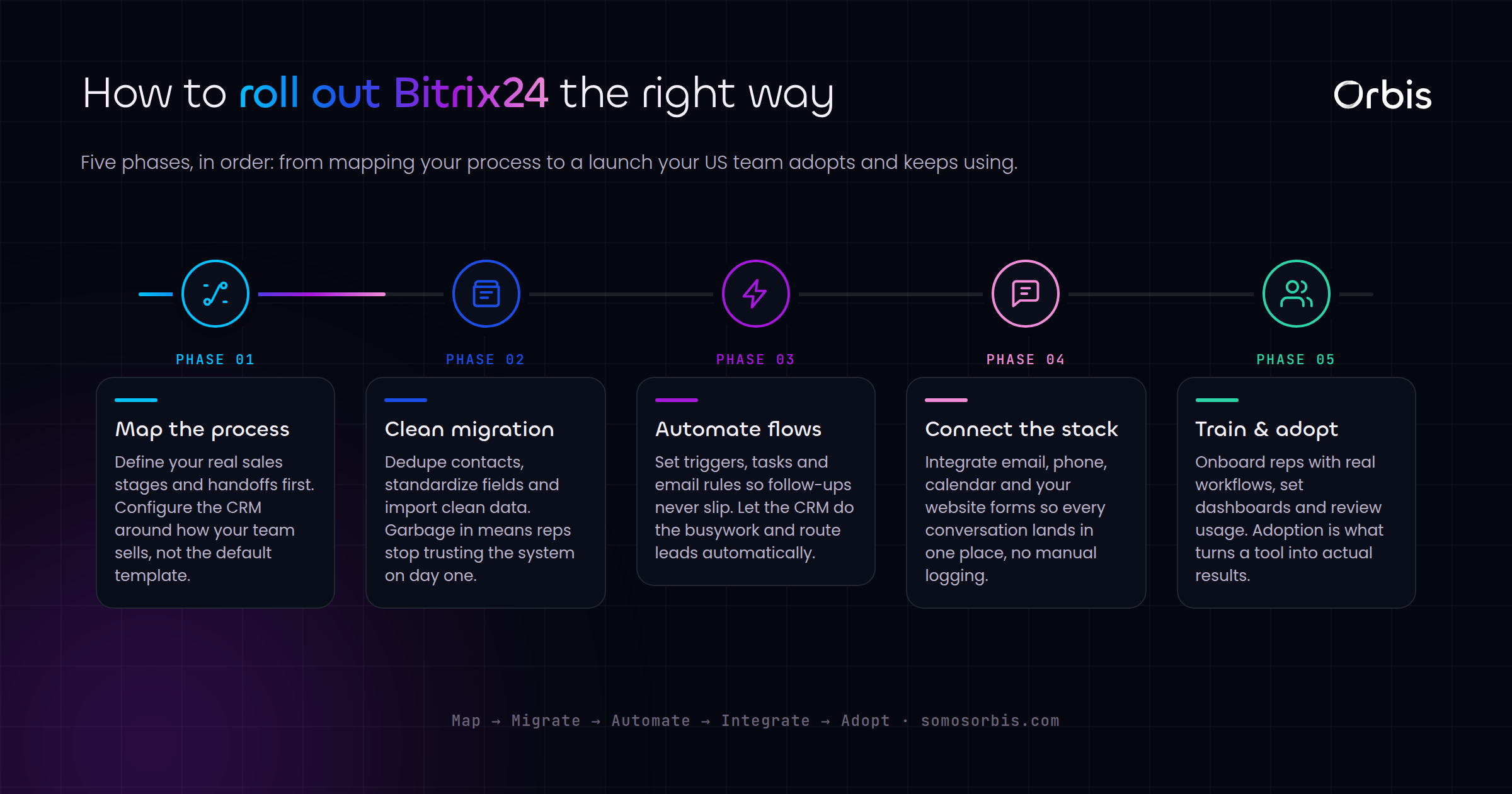
- Week 1 — Process mapping: document pipelines, qualification, fields, and integrations on paper.
- Week 2 — Core build: configure CRM, pipelines, custom fields, permissions, and the first automation rules.
- Week 3 — Telephony and integrations: connect phone numbers, website forms, email, and calendar; test end to end.
- Week 4 — Data migration and training: import cleaned data, train by role, and run a pilot with one office.
- Weeks 5–6 — Rollout and tuning: bring remaining offices on, monitor adoption, and adjust fields and rules based on real use.
Compress that timeline at your peril. The teams that skip process mapping to "save time" are the same teams re-implementing six months later. Documented processes up front are what make the whole thing stick.
Common Mistakes to Avoid
- Turning on every module at launch. Start with CRM and telephony. Add project management and the customer portal once the core sticks.
- Importing dirty data. Garbage contacts in means a CRM no one trusts. Clean and dedupe before migration, not after.
- Ignoring time zones and language. A US-wide team without time-zone and language fields will mis-time calls and mis-route bilingual leads.
- Treating telephony as optional. Configuring it later means months of untracked calls you can never analyze.
- Skipping the privacy guardrails. Retrofitting consent, access controls, and retention after launch is slow and risky.
Get Your Bitrix24 Implementation Right the First Time
Bitrix24 can genuinely unify sales, telephony, and operations for a distributed US team, but only when the rollout is engineered around how your revenue actually moves, not around the feature list. Mapped pipelines, automated telephony, clean integrations, privacy by design, and role-based training are what turn it from another abandoned tool into the system your team opens first every morning.
If you want it done right the first time, our team handles the full build end to end. Explore our Bitrix24 implementation services to deploy a configuration tuned for US sales and operations teams, from New York to Los Angeles, with the pipelines, telephony, and compliance guardrails that make adoption stick. Backed by 15+ years, 500+ clients, and a 4.9-star rating across 58 reviews, we will get your team live and working deals faster, with documented processes and revenue engineering built in from day one.