
If your small or midsize business is still tracking leads in a spreadsheet, a shared inbox, and three different team members' heads, you already know the cost: deals slip, follow-ups vanish, and nobody can tell you with confidence how much revenue is actually in the pipeline this month. A CRM fixes that — but only if it's implemented to match how your team really sells. For many US SMBs, Kommo hits the sweet spot: it's affordable, it lives where buyers already talk (WhatsApp, Instagram DMs, Facebook Messenger, email), and it ships with a visual sales pipeline that a five-person team can run without a full-time admin.
This guide walks through a practical Kommo implementation for US small and midsize businesses — from mapping your sales process to wiring up bilingual EN/ES messaging and tracking every deal in USD. It's written for the way companies actually sell in New York, Los Angeles, Chicago, Miami, Dallas, and Houston, where a single lead might message you in English on Tuesday and Spanish on Thursday. As an Orbis partner-led implementation, the goal isn't just "install the software" — it's to build a documented, repeatable revenue process you can trust.
Why Kommo works for US SMBs
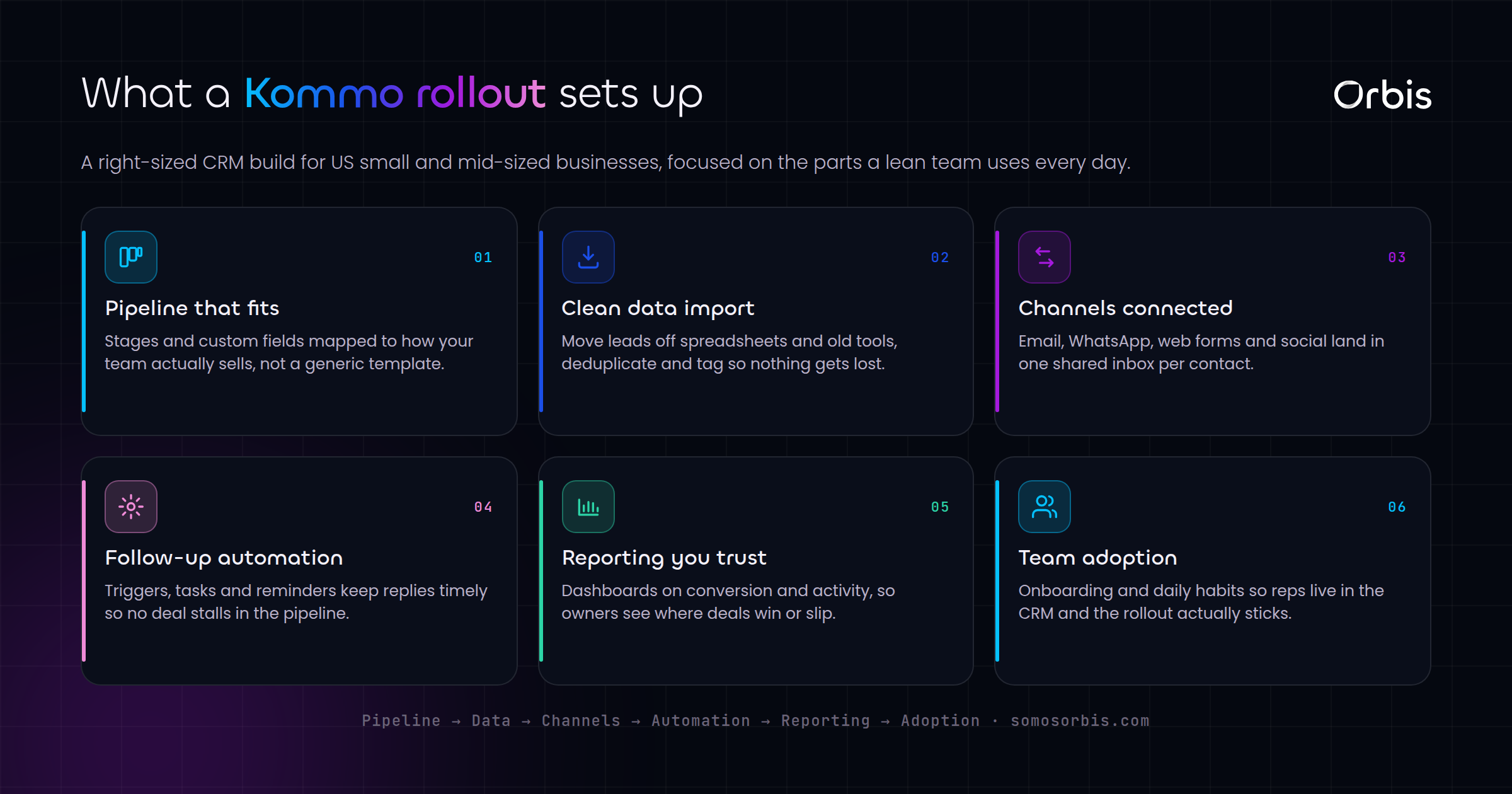
Most CRMs were built for large sales teams with dedicated operations staff. Kommo is built around the way smaller US companies actually win business — through conversations. Here's where it earns its place in the stack:
- Messaging-first. Kommo pulls WhatsApp, Instagram, Facebook Messenger, Telegram, and email into one inbox tied to the deal. For service businesses in Miami or Houston fielding inbound DMs all day, this alone eliminates the "who replied to that lead?" problem.
- Visual pipeline. Drag-and-drop deal stages mean your team sees exactly where every opportunity sits. No SQL, no reports to build before you can answer "what's closing this week?"
- Affordable for a lean team. Per-seat pricing in USD that a 3-to-25-person company can justify, with the automation features baked into the lower tiers rather than locked behind enterprise plans.
- Built-in automation. Triggered messages, task assignment, and pipeline-stage rules come standard, so your reps spend time selling instead of remembering to follow up.
- Bilingual-friendly. Templates, fields, and chatbots all support running EN and ES side by side — critical for reaching the large US Hispanic market without bolting on a second system.
The catch: a CRM is only as good as the process you pour into it. An empty Kommo account is just another inbox. The value comes from the implementation. Let's build it.
Step 1: Map your sales process before you touch a setting
The single most common mistake we see SMBs make is jumping into the software and creating pipeline stages on a whim. Two weeks later the stages don't match reality, reps stop updating deals, and the CRM rots. Start on paper instead.
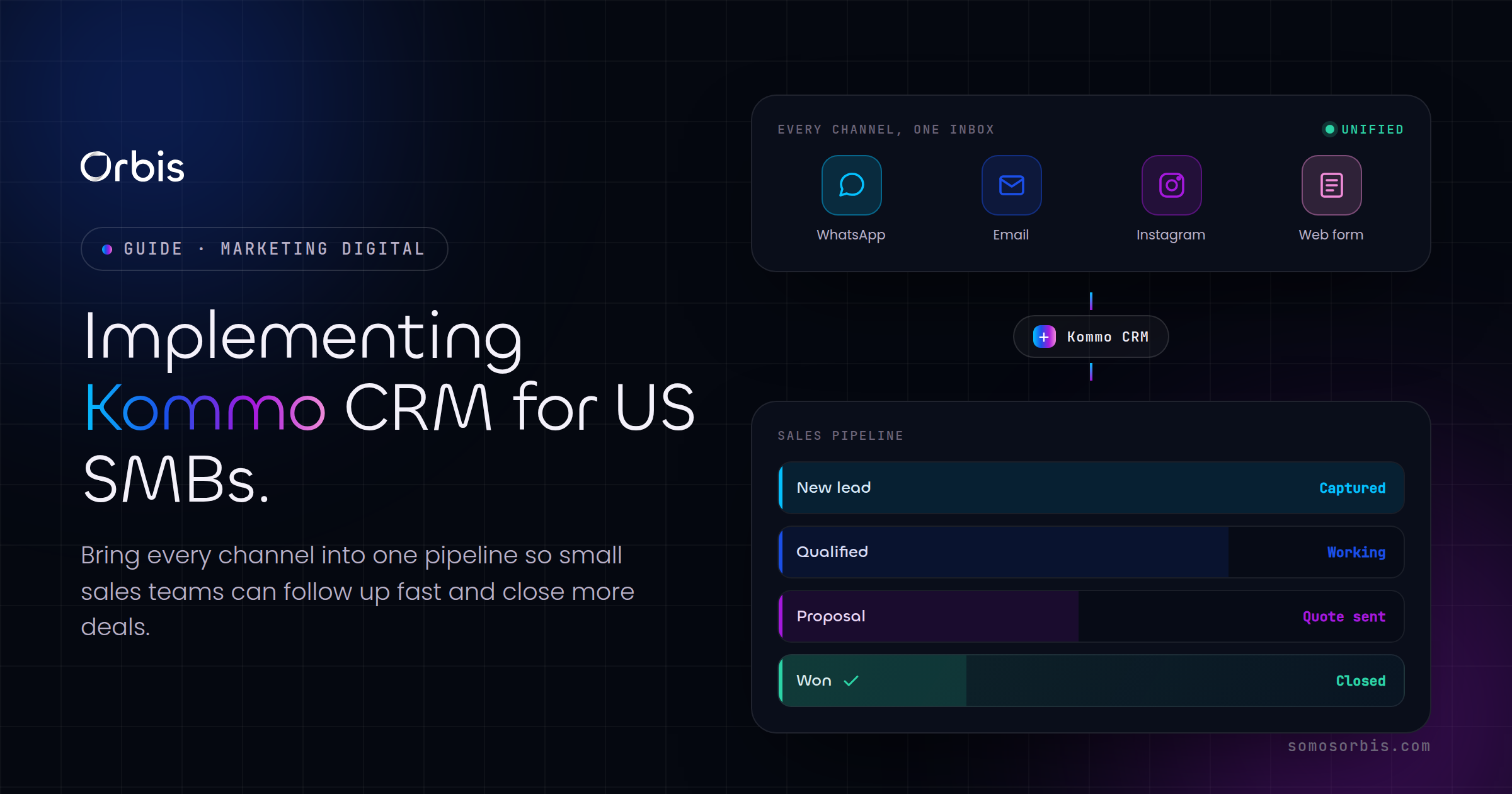
Write down the real journey a lead takes from first contact to closed deal. For most US SMBs it looks something like this:
- New lead — someone filled a form, DM'd you, or called.
- Contacted / qualifying — you've reached back and you're checking fit, budget, and timeline.
- Proposal sent — a quote or scope is in their hands, in USD.
- Negotiation — terms, pricing, and objections.
- Won / Lost — and for lost, capture a reason.
Keep it to five to seven stages. If you can't explain a stage to a new hire in one sentence, it doesn't belong. A documented process like this is the backbone of revenue engineering — the pipeline in Kommo should be a mirror of how your team actually closes business, not an idealized version of it.
Define what "qualified" means
Before you build, agree on one thing as a team: what makes a lead worth a rep's time? In Chicago a B2B services firm might qualify on company size and budget authority; a Los Angeles DTC brand might qualify on order value. Write the criteria down. You'll turn it into required fields and an automation later, and it's the difference between a clean pipeline and a junk drawer.
Step 2: Configure pipelines, fields, and USD deal tracking
Now translate the paper map into Kommo. Create your pipeline and add the stages exactly as you defined them. Resist the urge to add "maybe" stages — you can always refine after a month of real data.
Next, set up your custom fields. At minimum, capture:
- Deal value in USD — set the account currency to USD so every forecast, weighted pipeline, and won/lost report speaks the same language. This sounds obvious, but mismatched currency settings are a frequent cause of broken reporting.
- Lead source — Google, Meta, referral, walk-in, etc. You can't optimize spend you can't trace.
- Preferred language (EN/ES) — a single dropdown here drives everything downstream: templates, chatbot flows, and which rep gets the deal.
- Location / market — useful if you serve multiple metros and want to route or report by city.
- Lost reason — required on the Lost stage so you learn something from every deal you don't win.
Set realistic stage probabilities
Assign a rough close-probability to each stage (for example: Proposal = 40%, Negotiation = 70%). Kommo uses these to give you a weighted forecast in USD, which turns your pipeline from a list into a planning tool. Revisit the percentages after a quarter of data — your real conversion rates will surprise you, and that's the point.
Step 3: Connect your channels and centralize the inbox
This is where Kommo earns its keep for US SMBs. Connect the channels your customers actually use:
- WhatsApp — heavily used by Hispanic customers and increasingly the default for service businesses in Miami, Houston, and Dallas.
- Instagram & Facebook Messenger — for DTC and local brands running Meta ads, inbound DMs land straight in the deal.
- Email — sync your team's shared address so threads attach to the right contact automatically.
- Web forms & live chat — embed Kommo's form or chat widget on your site so new leads create deals without manual entry.
The goal is that every conversation, regardless of channel, lands on a single deal card with full history. When a lead who DM'd you on Instagram in March emails in May, your rep sees the whole story — not a cold restart.
Step 4: Build bilingual EN/ES messaging
Reaching the US Hispanic market isn't a nice-to-have — in many metros it's the majority of your inbound. Kommo lets you run both languages cleanly if you set it up deliberately.
- Dual templates. Create every key message — welcome, proposal follow-up, no-show, re-engagement — in both English and Spanish. Don't machine-translate and walk away; have a native speaker review so the Spanish reads like a person wrote it, not a plugin.
- Language-driven routing. Use the "Preferred language" field to auto-assign Spanish-preferring leads to bilingual reps. A lead who opens in Spanish should never get an English-only auto-reply.
- Bilingual chatbot. Set your Kommo chatbot to detect or ask for language up front, then branch the entire flow. The first question is simply "English or Español?" — everything after respects the choice.
- Consistent voice across both. Tone, offers, and CTAs should match in EN and ES. A customer shouldn't feel like they're talking to two different companies depending on which language they choose.
Done right, bilingual messaging isn't twice the work forever — it's two template sets and a routing rule that then run on autopilot.
Step 5: Automate follow-up so no lead goes cold
Speed-to-lead is one of the highest-leverage levers an SMB has, and it's exactly where manual processes fail. Kommo's automation closes the gap. Start with these:
- Instant acknowledgment. The moment a lead enters, fire an auto-message in their language confirming you got it and setting expectations.
- Task creation on stage change. When a deal moves to "Proposal sent," auto-create a follow-up task for the rep two business days later. The CRM remembers so your team doesn't have to.
- Stale-deal alerts. If a deal sits untouched for X days, notify the rep or escalate to a manager. This single rule recovers more revenue than most teams expect.
- Re-engagement sequences. Closed-lost or gone-quiet leads can drop into a gentle, timed nudge sequence instead of being forgotten.
Keep your first automations simple and observable. Turn on three rules, watch them for two weeks, then layer in more. A CRM that quietly does the wrong thing at scale is worse than no automation at all. This is the entry point to broader marketing and sales automation that compounds revenue — start with follow-up, then expand into lead scoring, nurture, and cross-channel orchestration once the foundation is solid.
Step 6: Handle customer data responsibly
The moment you centralize lead and customer data, you take on a responsibility — especially in California and other states with strong consumer-privacy expectations. Build compliance in from day one rather than bolting it on after a complaint.
- Capture consent. Log how and when each contact opted in to messaging, and store it on the deal so you can prove it.
- Honor opt-outs immediately. An unsubscribe or "stop" should update the record and halt automated outreach without a manual chase.
- Limit access. Use Kommo's roles so reps see only what they need. Not everyone needs to export the full contact database.
- Make deletion and access doable. If a customer asks what you hold or asks you to delete it, you should be able to act quickly. Document the steps so it isn't a fire drill.
None of this requires naming specific statutes to your customers — it just requires a clean, documented process that respects US privacy norms. Privacy handled by design is also a trust signal, and trust closes deals.
Step 7: Train the team and measure adoption
The best-configured CRM dies if the team won't use it. Adoption is a people problem as much as a software one.
- Train on the workflow, not the software. Show reps how to run their actual day — not a feature tour. "Here's how you move a Miami lead from contacted to proposal" beats "here are 40 settings."
- Make the easy path the right path. If updating a deal takes one drag and a note, reps will do it. If it takes ten fields, they won't.
- Lead from the data. Run your weekly sales meeting from the Kommo pipeline. When the CRM is the source of truth in the room, it becomes the source of truth at every desk.
- Track adoption metrics. Deals updated on time, response speed, and stage hygiene tell you whether the system is alive or just installed.
Common pitfalls to avoid
- Over-engineering at launch. Twenty pipeline stages and fifty fields guarantee abandonment. Ship a lean version, then refine with real data.
- Skipping the data import cleanup. Migrating a messy spreadsheet just gives you a messy CRM. Deduplicate and standardize before you import.
- Treating bilingual as an afterthought. Retrofitting Spanish later is painful. Build both languages from the first template.
- No owner. Even a small team needs one person accountable for CRM hygiene and improvements. Name them.
A realistic rollout timeline
For a typical US SMB, a focused Kommo implementation runs about two to four weeks:
- Week 1: Map the sales process, define qualification and fields, set USD currency.
- Week 2: Build pipelines, connect channels, import and clean existing contacts.
- Week 3: Create bilingual templates, wire up the first automations and chatbot.
- Week 4: Train the team, run the first pipeline-led sales meeting, and start measuring.
Heading into a high-volume window like Black Friday and Cyber Monday or tax season? Have the CRM live and your team comfortable at least a month ahead, so the busy period stress-tests a system that's already working rather than one you're building mid-rush.
Where Kommo fits in your wider stack
A CRM is one piece of a connected revenue system. The real payoff comes when Kommo talks to your ads, your website, your billing, and your reporting — so a lead from a Meta ad in Dallas flows into the pipeline, gets the right bilingual sequence, and shows up in a USD forecast without anyone copying and pasting. To see how the CRM sits alongside chatbots, automation, and integrations, read our pillar guide to marketing tech implementations for US businesses in 2026, and pair it with our deep dive on marketing and sales automation for US revenue to plan the layer that turns a CRM into a growth engine.
A CRM doesn't grow your revenue. A documented, well-adopted sales process running inside a CRM does. The software is the easy part — the implementation is where the value lives.
Ready to implement Kommo the right way?
Standing up Kommo so it actually fits how your team sells — bilingual messaging, USD pipelines, automation that fires at the right moment, and privacy handled by design — is exactly the kind of work Orbis does day in and day out. As a Kommo partner with 15-plus years and 500-plus clients behind us, we don't just install software; we engineer a revenue process you can trust. Explore our Kommo implementation services and let's turn your lead chaos into a pipeline you can forecast in USD with confidence.